Automated Browser Detection
While command line tools and scripts are unable to process javascript challenges, there are many tools available to attackers to bypass these basic javascript challenges. There are also, tools such as Selenium that can be configured to “drive” real browsers through sophisticated web applications.
In this exercise we will use the Kantu extension for Chrome to test the ability of F5 Unified Bot Defense to detect and mitigate automated browsers. Kantu is a free Selenium-based extension available for most browsers.
Using Selenium Automated Browsers
In the Chrome browser, browse to the Hackazon home page at hackazon.f5demo.com.
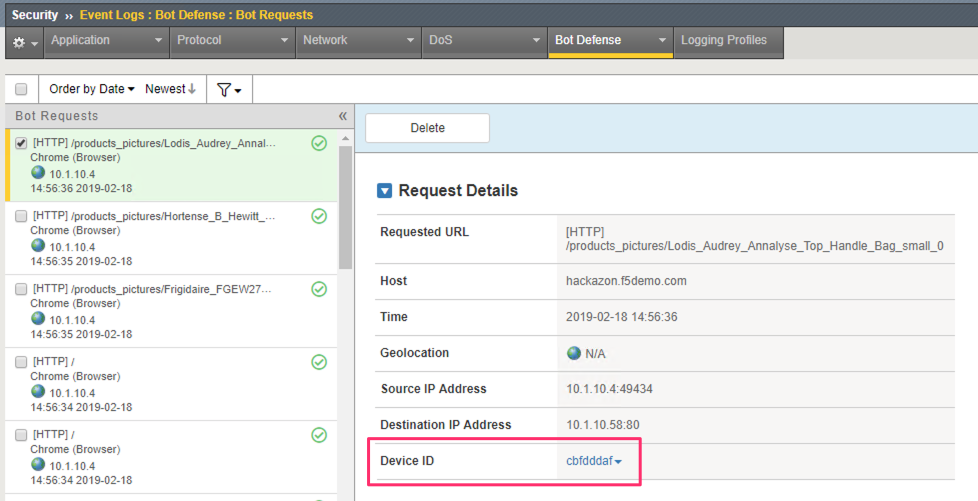
Refresh the home page at least 10 times to ensure it is qualified for injection of the Javascripts that are necessary to detect this type of automated activity on the client side.
You can validate this by checking the Bot Defense Request Logs and look for a value in the DeviceID field.
To the right of the address bar in Chrome click on the
icon to open the Kantu extension.
Note
A macro has already been recorded of browsing various pages on the Hackazon website.
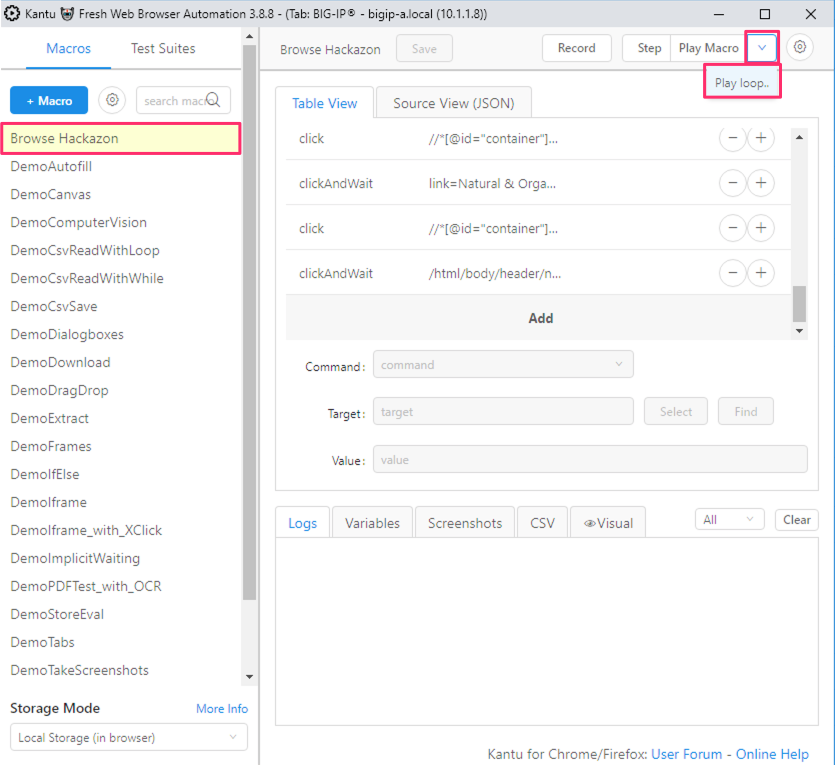
In the Kantu window ensure the “Browse Hackazon” macro is selected on the left.
Select the drop down menu next to “Play Macro” and choose Play loop….
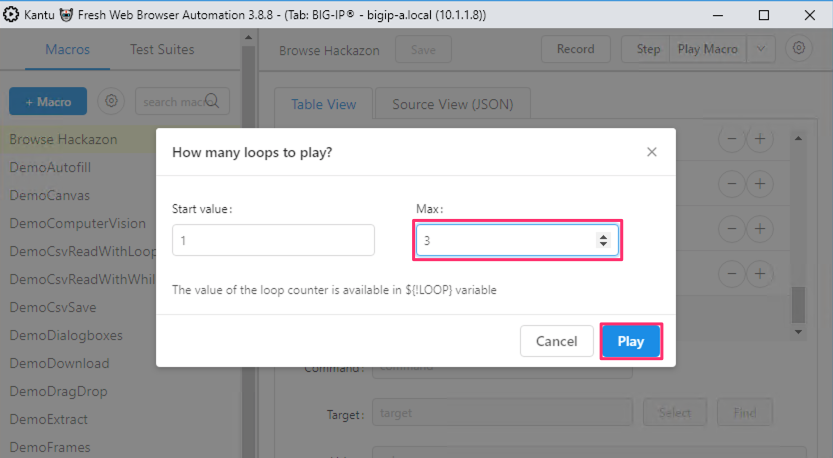
Leave the default to play the loop 3 times and click Play.
Kantu will attempt to browse the Hackazon website, following the links recorded in the macro.
After several requests you will see the blocking page and Kantu will stop progressing through the macro.

Review Bot Defense Logs
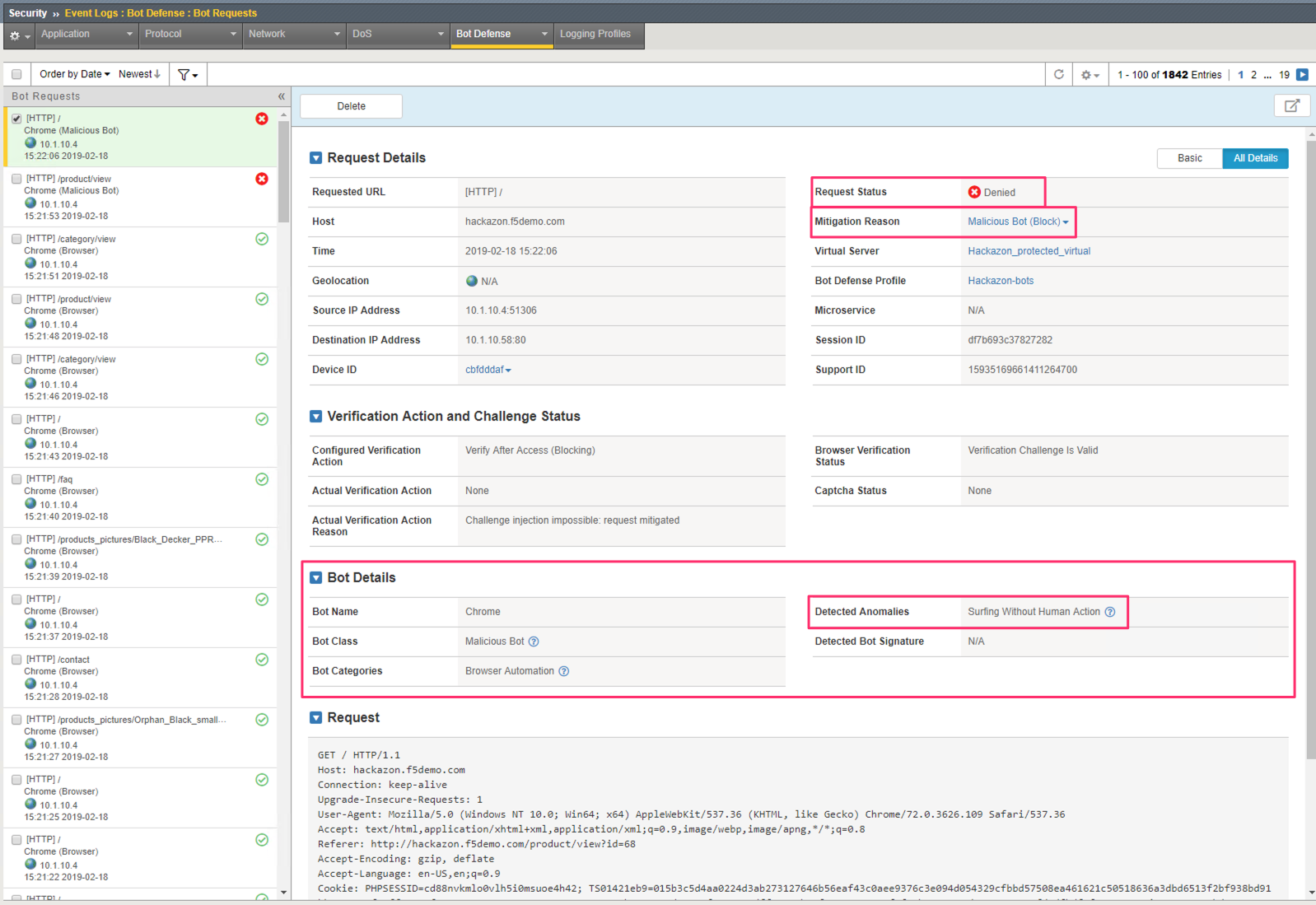
Return to the Bot Defense Request Logs at Security >> Event Logs >> Bot Defense >> Bot Requests and select the most recent request.
The Request Status and Mitigation Reason indicate this request was classified as a Malicious Bot and Blocked.
Further information in the Bot Details section of the log indicate that this request was categorized as an Automated Browser because it detected Surfing Without Human Action.
F5 Unified Bot Defense is able to detect and mitigate even very sophisticated automated browsers.