Mitigation Setting Exceptions
While the Bot Defense Profile default classifications and categorizations are generally appropriate for many web applications, you may want to create exceptions to block requests that are allowed, or allow requests that are blocked.
In this exercise we will create a couple of exceptions in the Bot Defense Profile.
Create Exceptions
Perhaps we consider automated requests from curl to be malicious and we do not want to allow these requests, even for initial access. We can create an exception to block curl requests while still allowing other requests that are in the HTTPLibrary category.
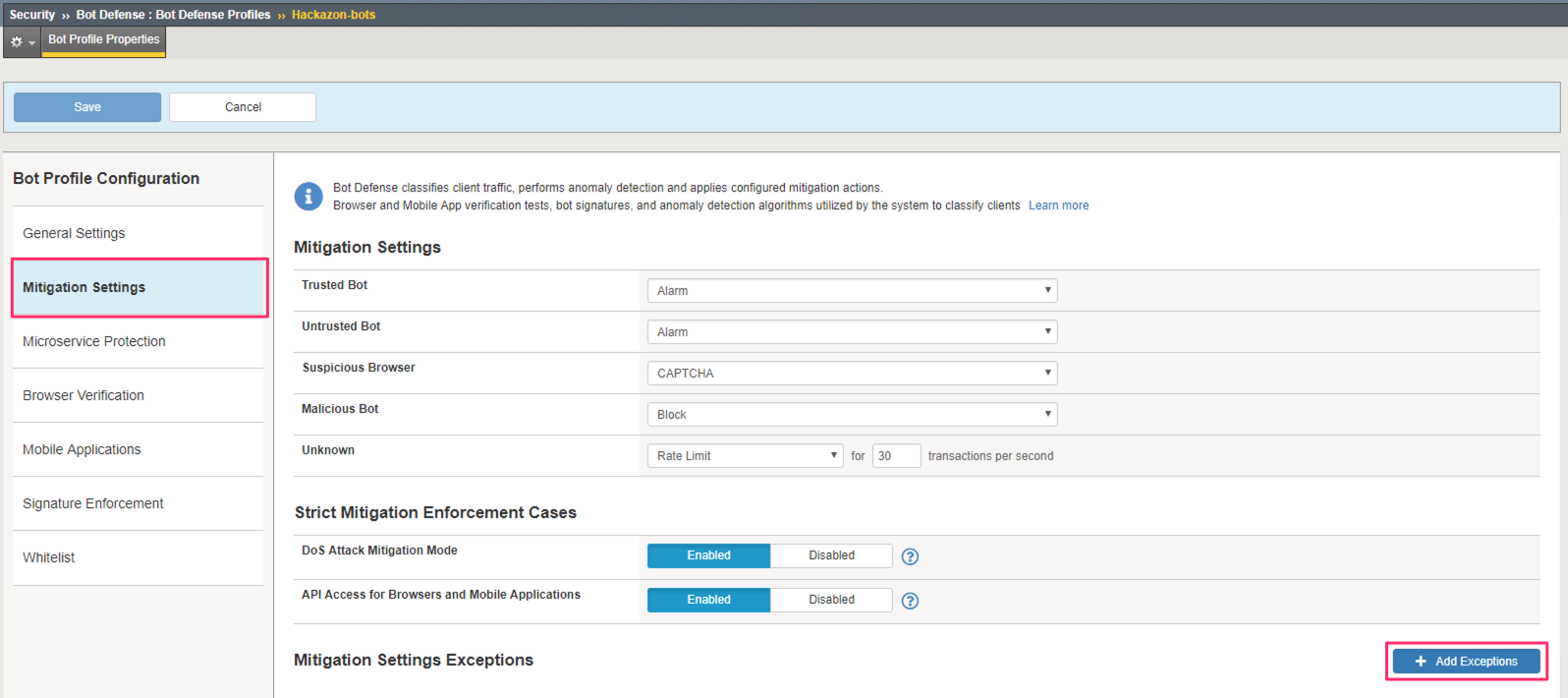
In the BIG-IP, return to Security >> Bot Defense >> Bot Defense Profiles and select the Hackazon-bots profile.
Select the Mitigation Settings section. Click Add Exceptions in the bottom right corner.
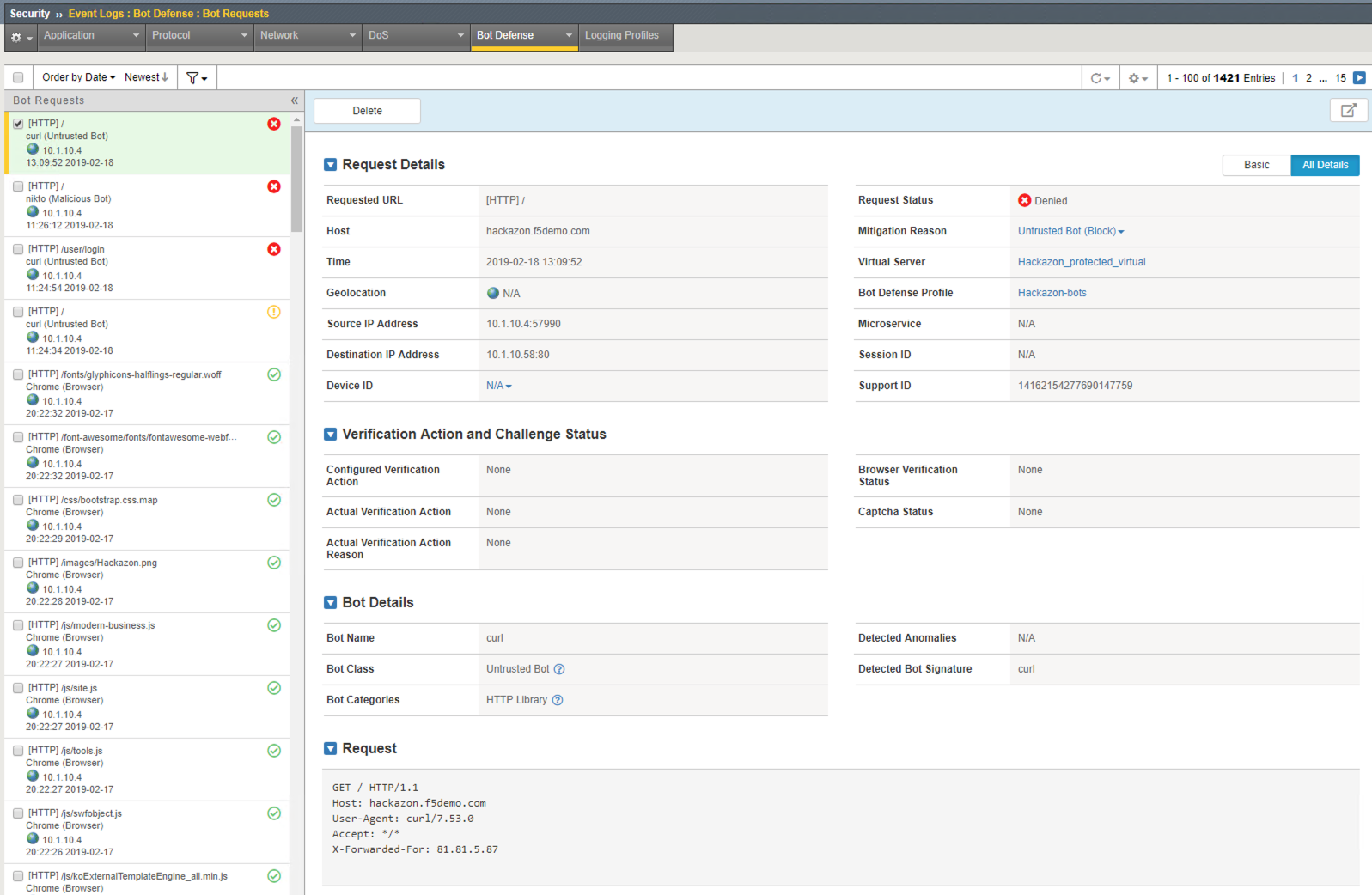
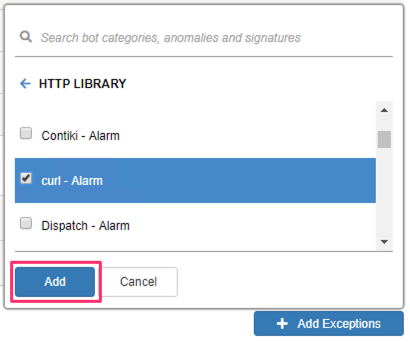
Recall from the Bot Request logs that cURL was classified as an Untrusted Bot and in the HTTP Library category. We can add an exception by selecting the Untrusted Bot class, then the HTTP Library category, and finally, selecting the curl Bot Signature.
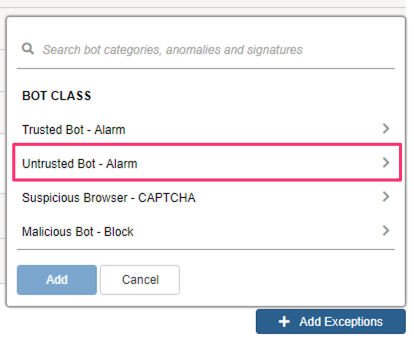
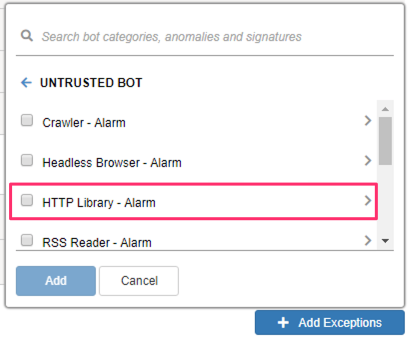
Click Add to add the exception for curl.
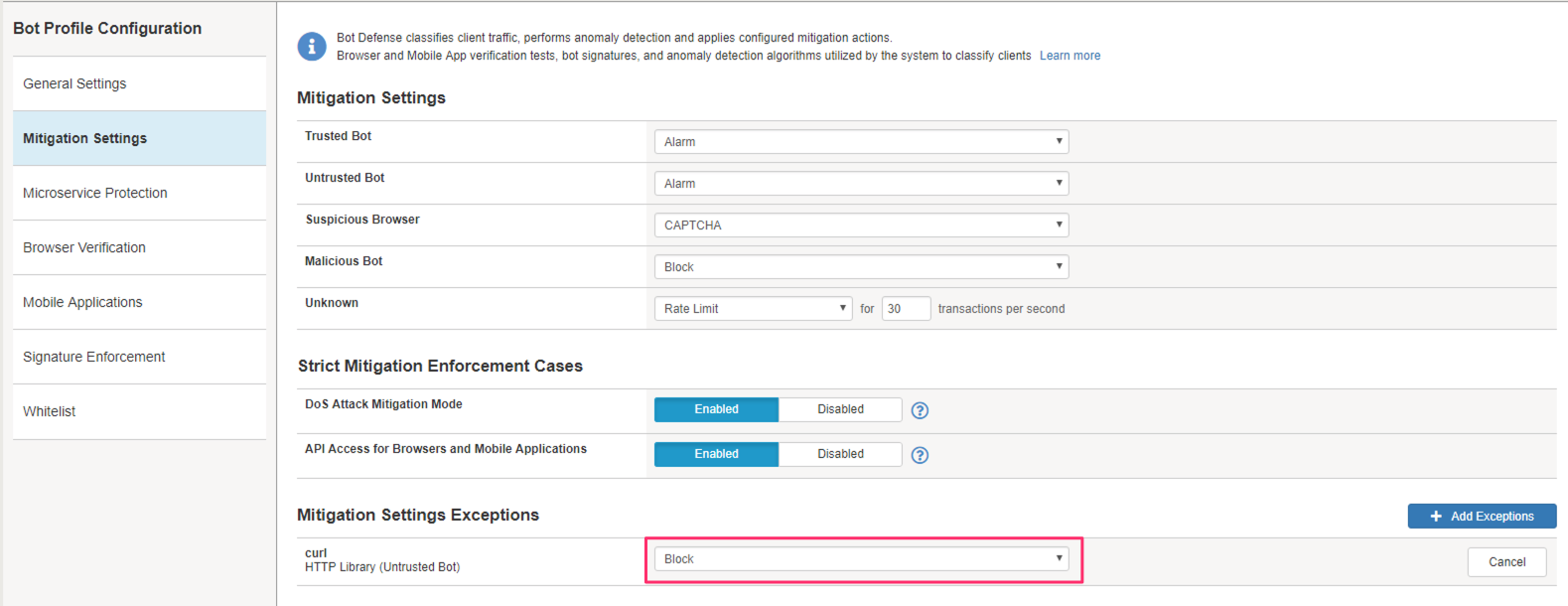
Change the mitigation to Block.
Note
Exceptions can be made at the category or signature/anomaly level. for example, we could have created an exception for the entire HTTP Library category.
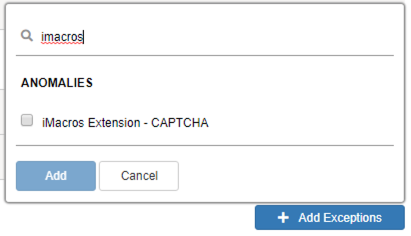
You can also add exceptions by searching for the category, anomaly, or signature.
Imagine we are receiving complaints from some users that they are getting CAPTCHA pages. IN reviewing the Bot Defense request logs we see that the are receiving the CAPTCHA page because Bot Defense has detected the iMacros extension in their browser.
Create another exception by searching for “iMacros” by using the search feature.
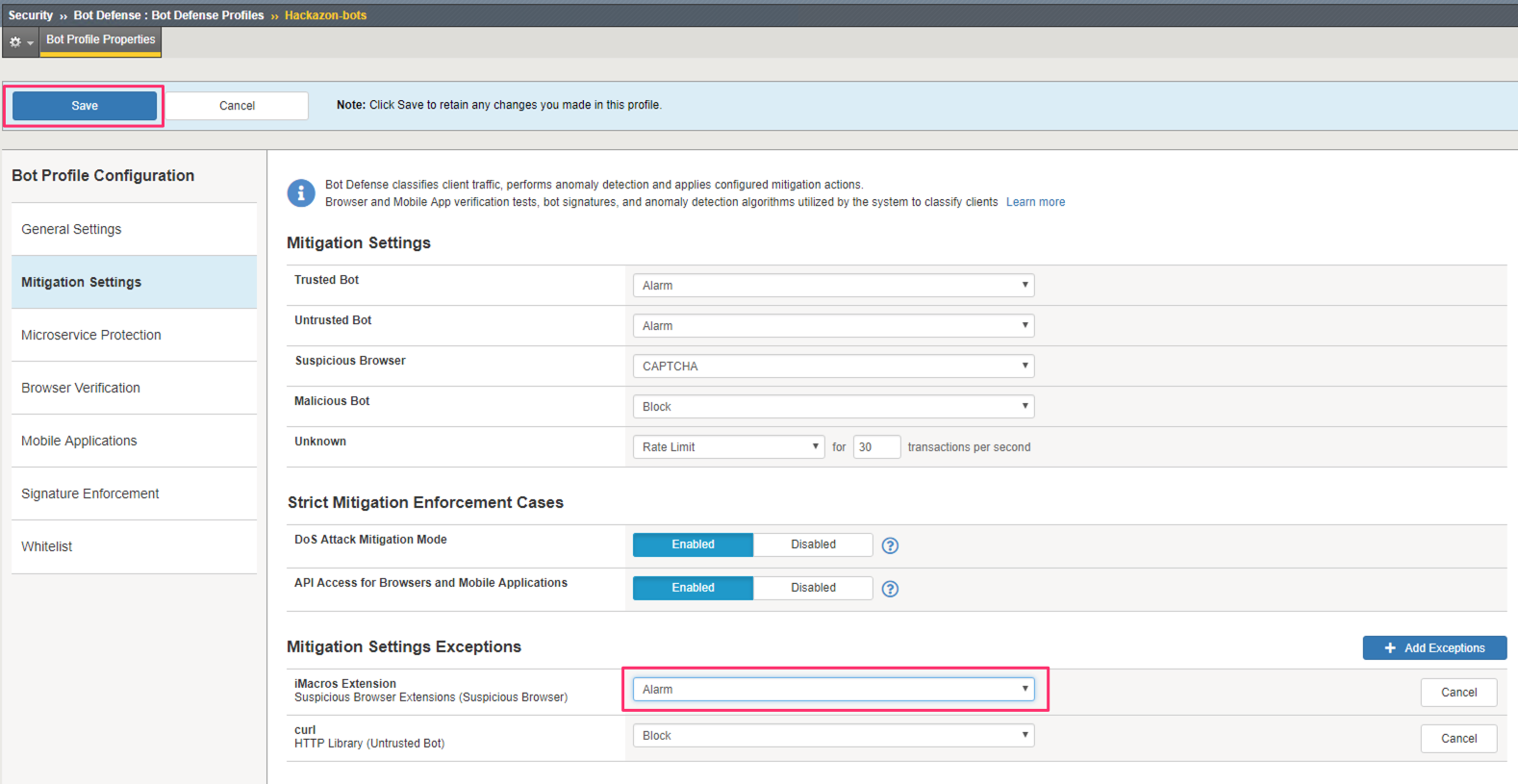
Set the mitigation to Alarm so we are no longer sending a CAPTCHA to these users. Click Save.
(OPTIONAL) Test Exceptions
From the Windows command prompt, re-run the cURL request to the Hackazon home page:
curl http://hackazon.f5demo.com/Return to the Bot Defense Request Logs at Security >> Event Logs >> Bot Defense >> Bot Requests.
Review the most recent request. Was it blocked? Why?