Impersonating Bot Detection
In each of the previous examples, the bot traffic was easily identified by the user agent header. It is trivial for attackers to change the user-agent header to a value to “impersonate” a valid browser.
In this exercise we will see how F5 Unified Bot Defense handles this type of Impersonating Bot.
Using cURL with custom User-Agent
Return to the Windows command prompt and run the following request:
curl -H "User-Agent: Mozilla/5.0 (Macintosh; Intel Mac OS X 10_13_6) AppleWebKit/537.36 (KHTML, like Gecko) Chrome/70.0.3538.77 Safari/537.36" http://hackazon.f5demo.com/Note in this request we are using a valid Chrome user agent header.
Review Bot Defense Logs
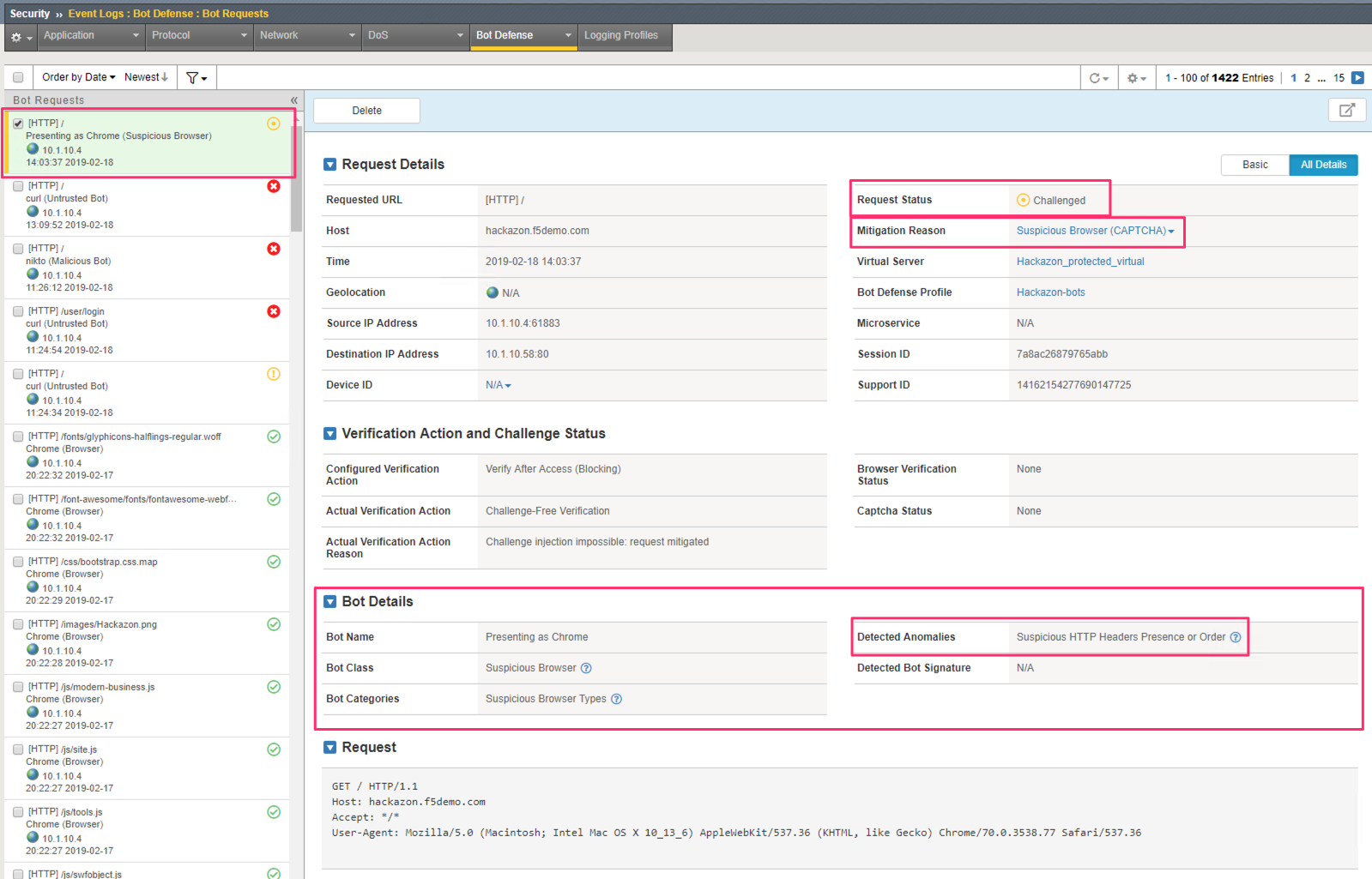
Return to the Bot Defense Request Logs at Security >> Event Logs >> Bot Defense >> Bot Requests and select the most recent request.
Notice that the Request Status is Challenged. Also, the Mitigation Reason is**Suspicious Browser**.
Also, notice in the Bot Details section that the Detected Anomalies* indicates Suspicious HTTP Headers Presence or Order. This anomaly is part of the Challenge-Free verifications and is triggered when a request is claiming to be a browser but the HTTP headers that browsers sends are either missing or in the wrong order.
The Suspicious HTTP Headers Presence or Order anomaly is included in the Suspicious Browser class. There is a similar anomaly named Invalid HTTP Headers Presence or Order which is included in the Malicious Bot class which fires when the HTTP headers are significantly different than the headers the claimed browser would normally send.