Basic Bot Detection
In this series of exercises we will progress through examples of very simple bots up to very sophisticated automated browsers. We will review the Bot Defense logs to see how and why Bot Defense mitigates these automated requests.
Basic Bot and Vulnerability Scanners
From the Windows Desktop, open a command prompt.
Paste and run each of the following commands:
cURL request to home page:
curl http://hackazon.f5demo.com/
cURL request to login page:
curl http://hackazon.f5demo.com/user/login
Note
How was the response to the second cURL request different from the response to the first cURL request? Why do you think this was? We will see the answer when we review the Bot Defense logs in the next step.
Paste and run the following command:
Nikto request to home page:
curl http://hackazon.f5demo.com/ -H "User-Agent: Mozilla/5.00 (Nikto/2.1.6) (Evasions:None) (Test:Port Check)"
Review Bot Defense Logs
In the BIG-IP, browse to Security >> Event Logs >> Bot Defense >> Bot Requests.
First cURL Request
Select the third request down (this should be the first cURL request you sent to the home page).
In the top right corner, select to display All Details.
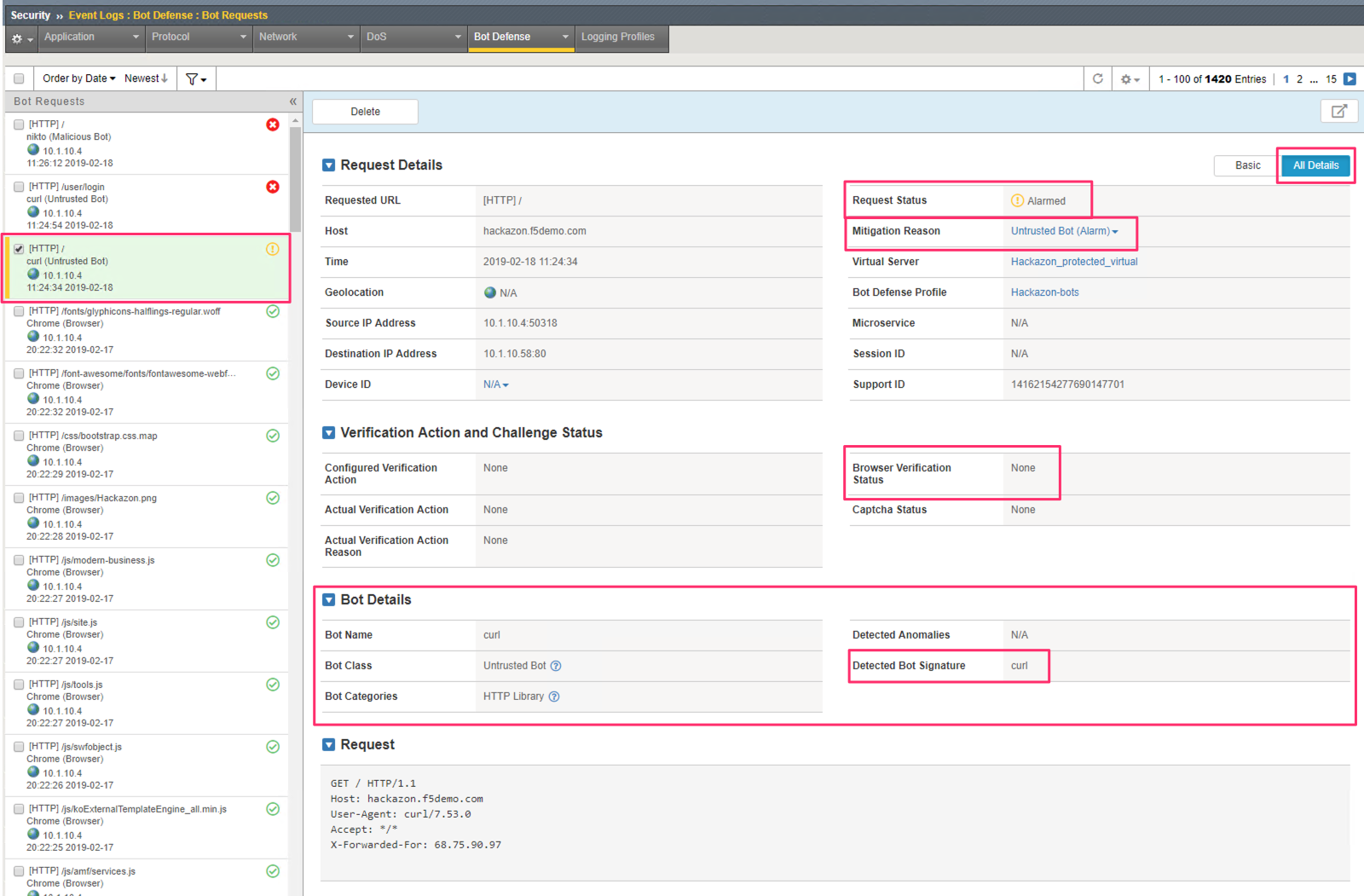
Note the Request status is Alarmed. and the Mitigation Reason indicates that is was “alarmed” because the request was classified as Untrusted Bot which is set in the Bot Defense profile to Alarm.
Note that the Browser Verification Status is None. Because this request was not classified as a browser, no browser verification was needed.
In the Bot Details section of the log we can see that this request was identified with the “curl” Bot Signature. We can also see that this is classified as an Untrusted Bot and in the HTTP Library category.
Second cURL Request
Select the second request down (this should be the second cURL request you sent to /user/login).
In the top right corner, select to display All Details.
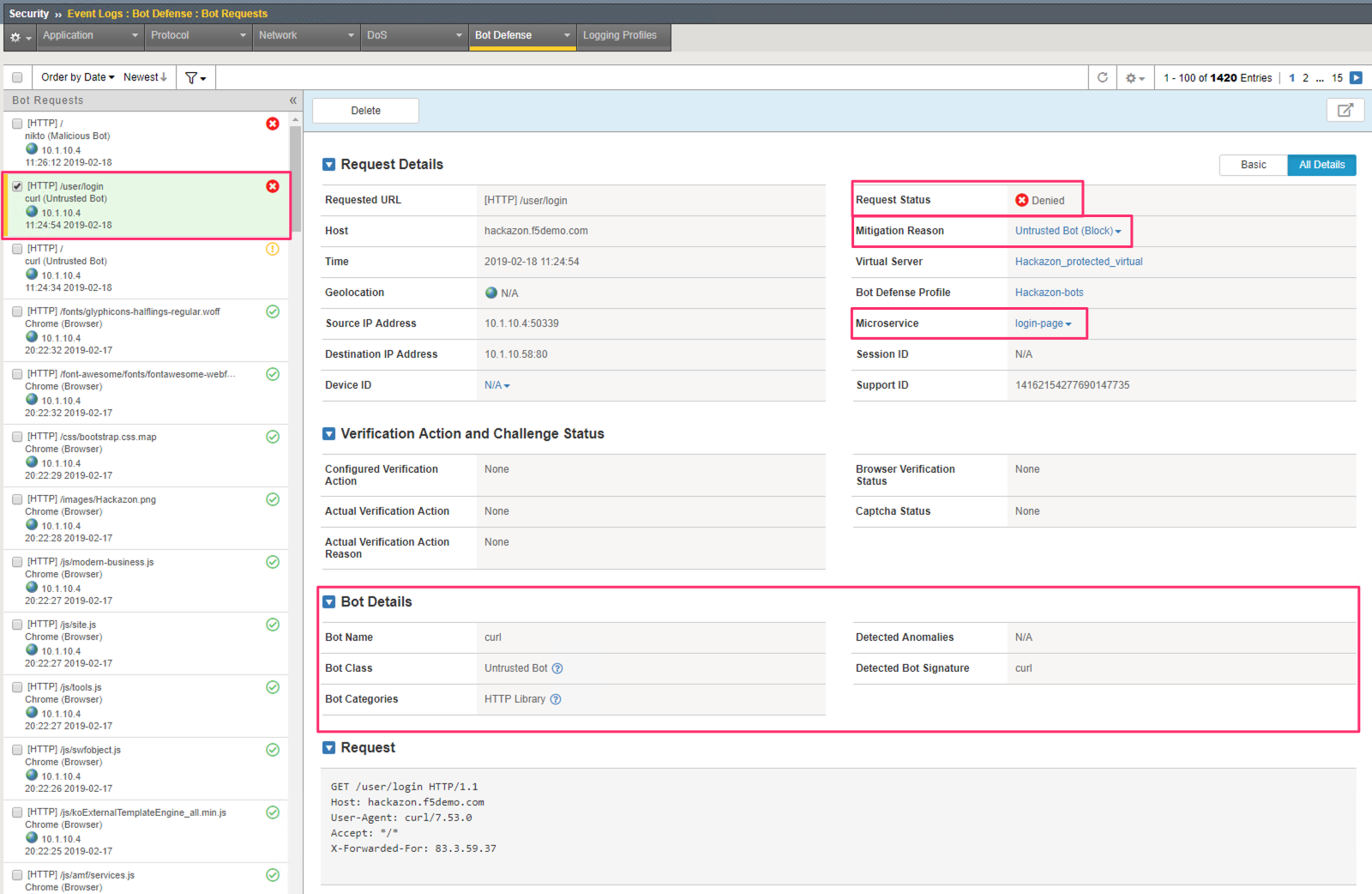
Note the Request status is Denied and the Mitigation Reason indicates that is was “blocked” because the request was classified as Untrusted Bot which is set in the Bot Defense profile to Block.
Why is this different than the first request?
Recall that we defined a Microservice for the Hackazon login page. You see this indicated under Microservice in the log. In the Microservice configuration for /user/login only the Browser category was allowed. All other categories were set to block.
Nikto Request
Select the top request (this should be the Nikto request you sent to the home page).
In the top right corner, select to display All Details.

What is the Request Status? According to the Mitigation Reason, why was this request blocked?
In the Bot Details section of the log, what Bot Class and Bot Category are assigned to this request?