Login Page discovery
In this exercise we will review the properties and elements of the Hackazon login page so that we can define it as a login page in the ASM policy. We will then configure Brute Force Protection for that login page.
Review login page parameters and responses.
In Chrome, browse to the Hackazon home page. http://hackazon.f5demo.com/
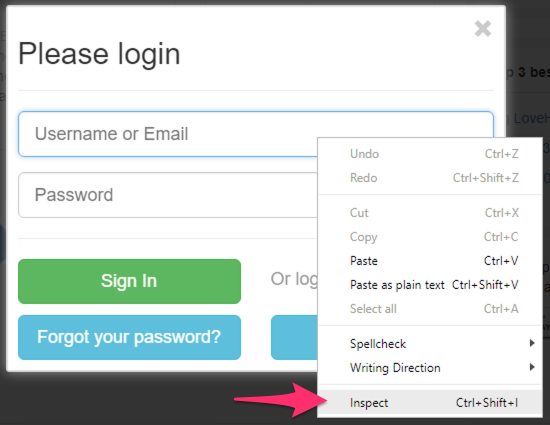
In the top right corner of the web page, select Sign In.
Right click on the Username field and select Inspect.
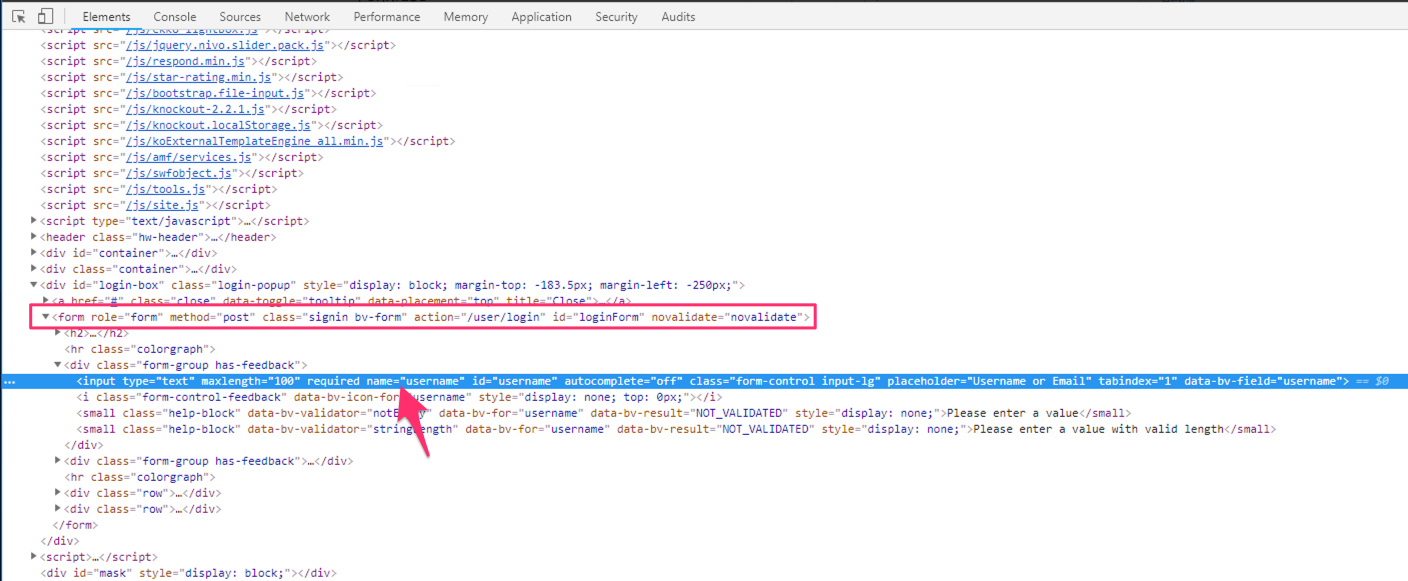
This will open the browser developer tools. The DOM will be displayed, and the username field will be selected.
Important
Record the name attribute of this field. We will need it later to configure the login page.
This field is part of a form. Look just above the username field in the dev tools pane for the <form object.
Important
Record the form action URL. You will need this to configure the login page.
In the web page pane, right click on the Password field and select Inspect Element.
Now the password field will be selected in the dev tools pane.
Important
Record the name attribute of this field.
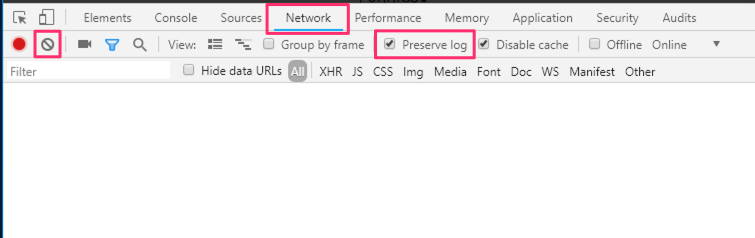
In the dev tools pane, switch to the Network tab. Click the
icon to clear any requests. Ensure the Preserve Log check box is checked.
In the web page pane enter “user” for the username and “12345” for the password. Click Sign In.
Note
These are invalid credentials, but we want to look at the response for a failed login.
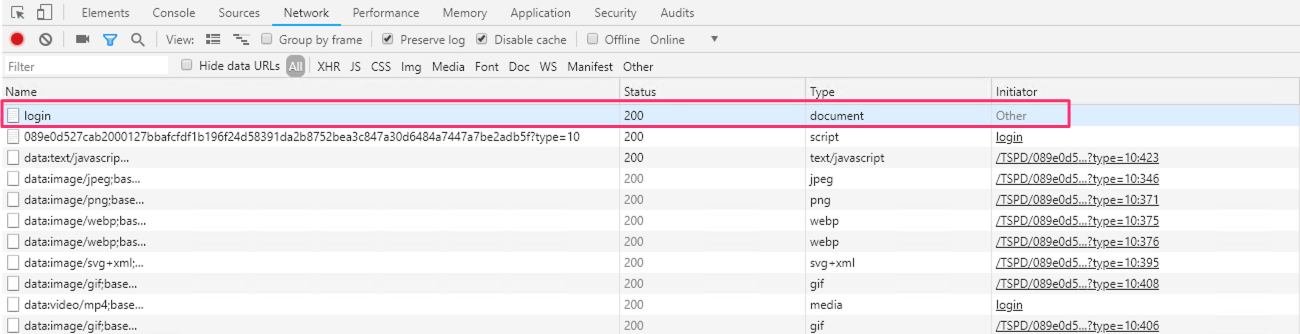
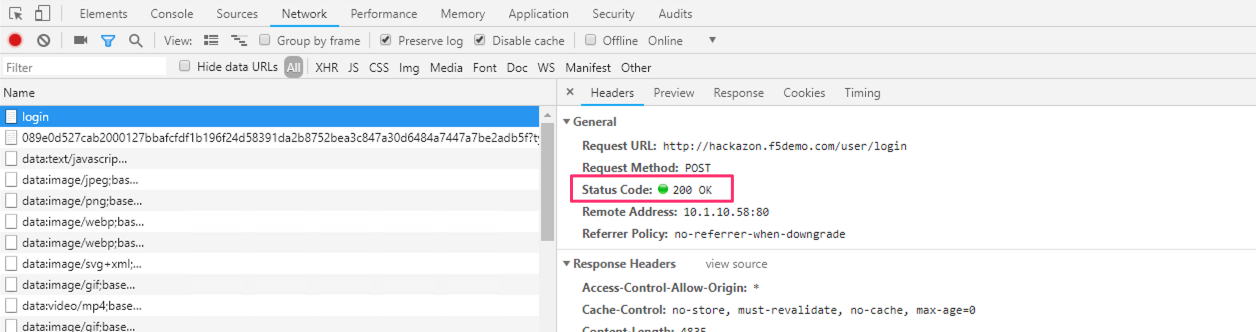
In the dev tools pane scroll to the top of the list and select the top request to login.
In the Request Details pane look at the headers.
Important
Record the status code for a failed login.
Click the
In the web page pane enter “bob” for the username and “bob” for the password. Click Sign In.
Note
This is the correct password and we want to look at the response for a successful login.
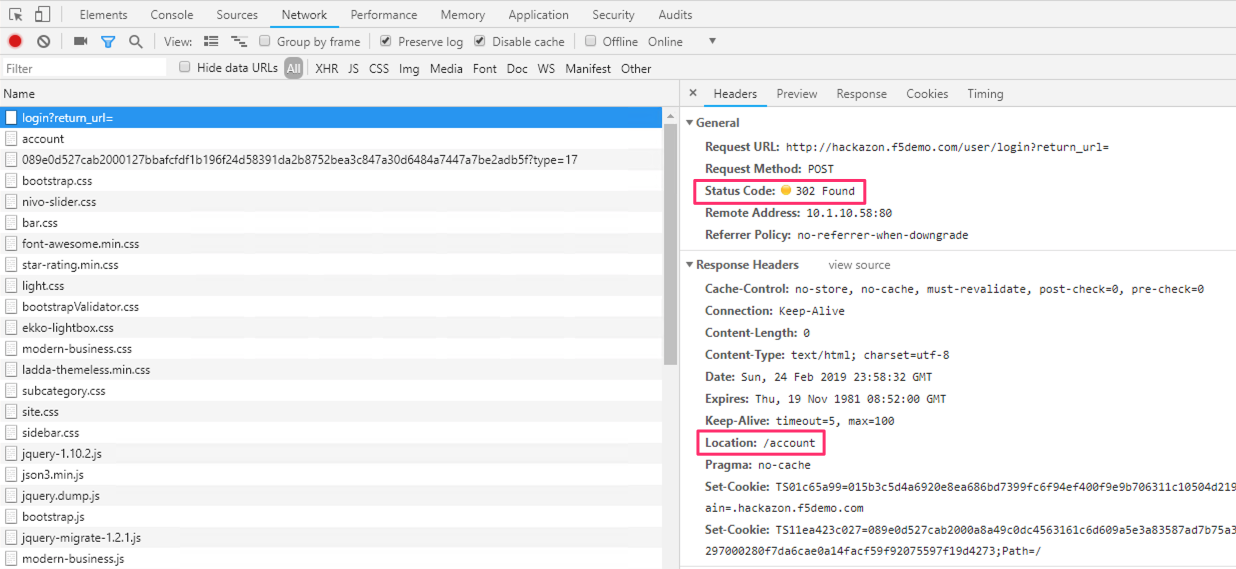
In the dev tools pane scroll to the top of the list and select the POST request to login.
Important
Record the status code for a failed login. Record the value of the Location response header.