Configuring DataSafe Credential Protections
F5 Advanced WAF includes DataSafe which can protect your web applications from credential theft by MITB malware. In this exercise you will configure DataSafe to protect the Hackazon login page from credential theft.
Create DataSafe Profile
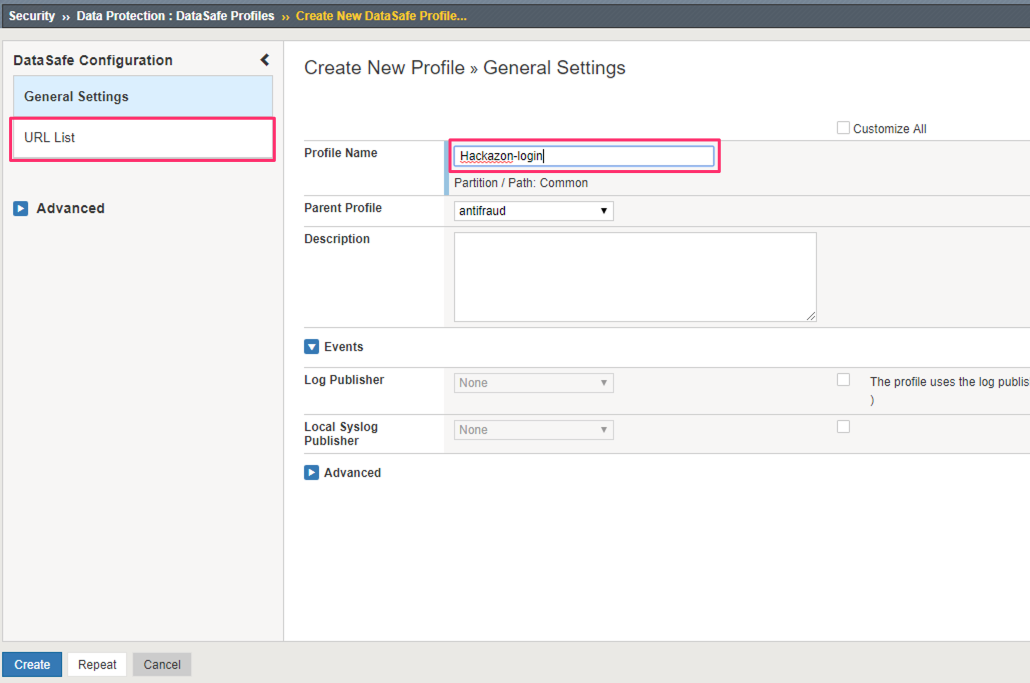
In the BIG-IP. browse to Security >> Data Protection >> DataSafe Profiles.
Click Create to create a new DataSafe profile.
For the Profile Name enter Hackazon-login, then click on the URL List.
Define protected URL
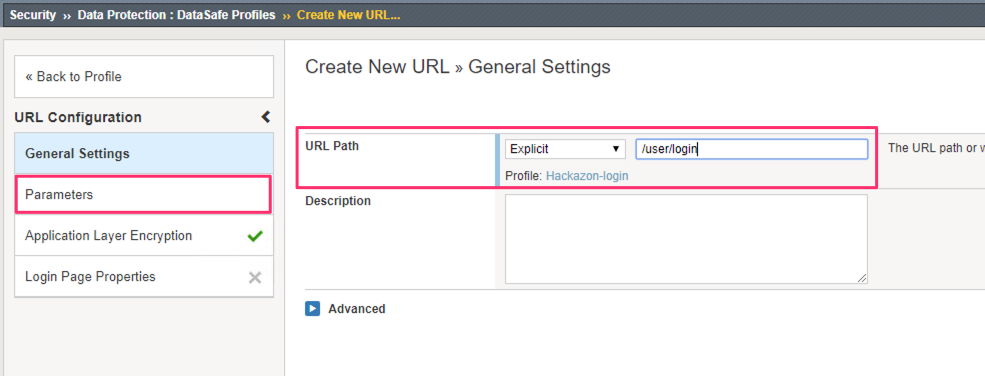
In the URL List screen click Create URL.
In the Create New URL screen enter /user/login in the URL Path field.
This defines the URL to be protected. We also need to define the fields that we want to protect and how we want to protect them. Click on the Parameters section.
In the Parameters screen, click Add.
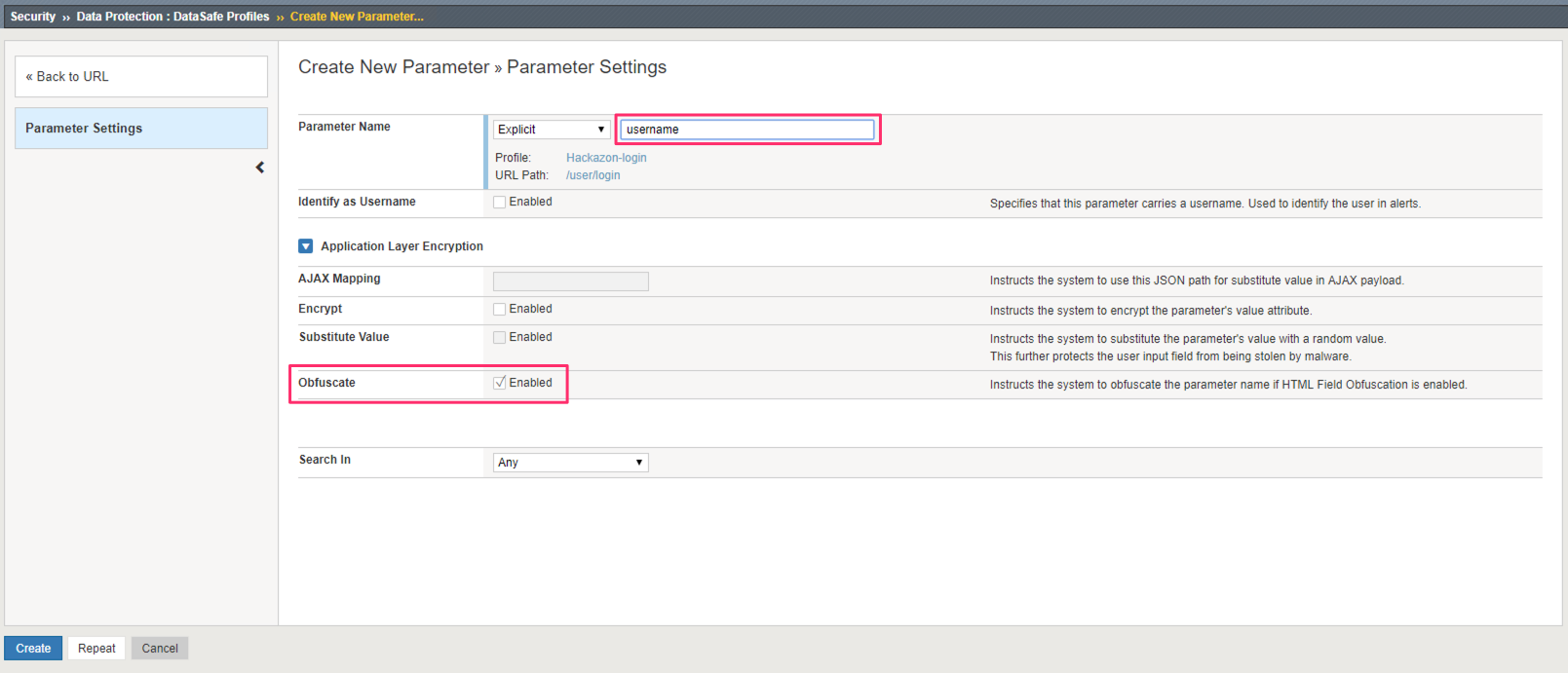
In the New Parameter screen enter username for the Parameter name. Select to enable the Obfuscate feature for this parameter. Click Repeat.
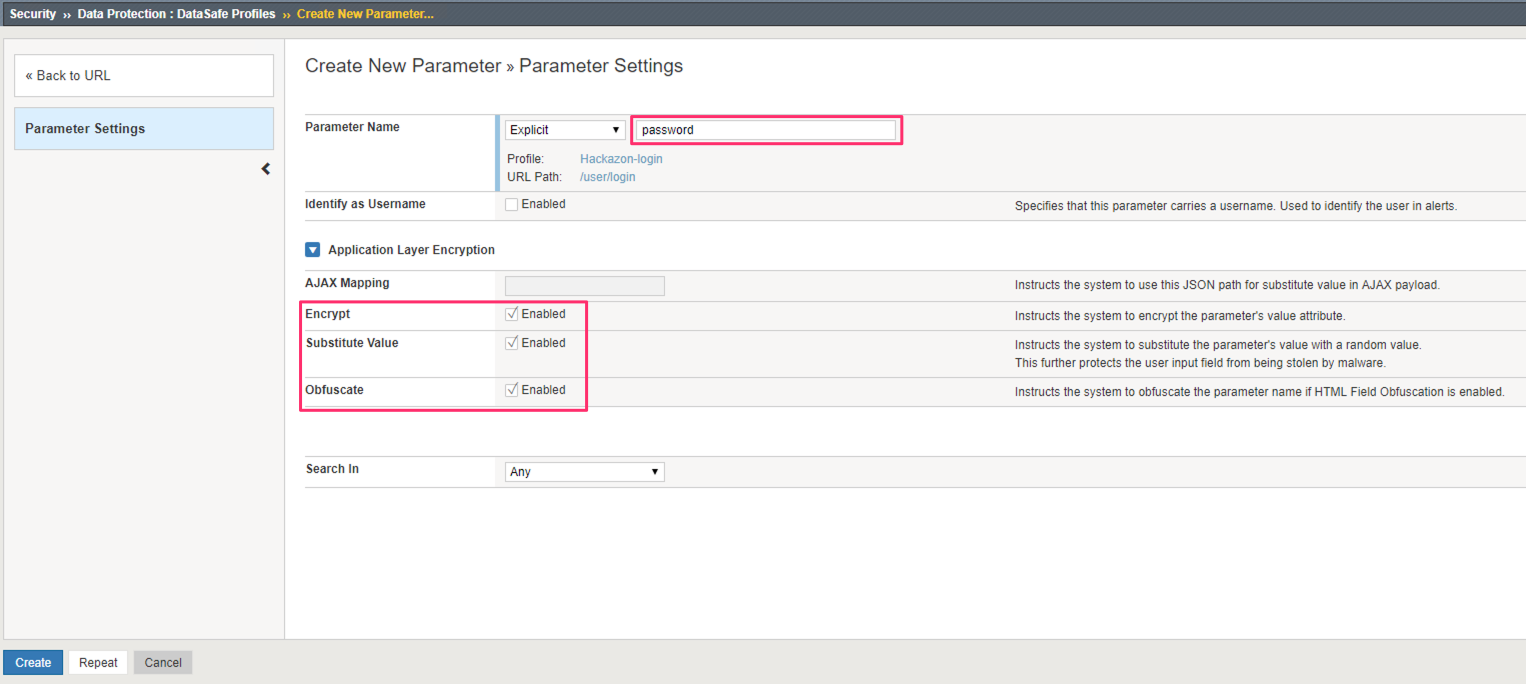
In the New Parameter screen enter password for the Parameter name. Select to enable the Encrypt, Substitute Value, and Obfuscate features for this parameter. Click Create.
Note
We will discuss each of these features and their purpose in the Validating DataSafe Configuration section later in this lab.
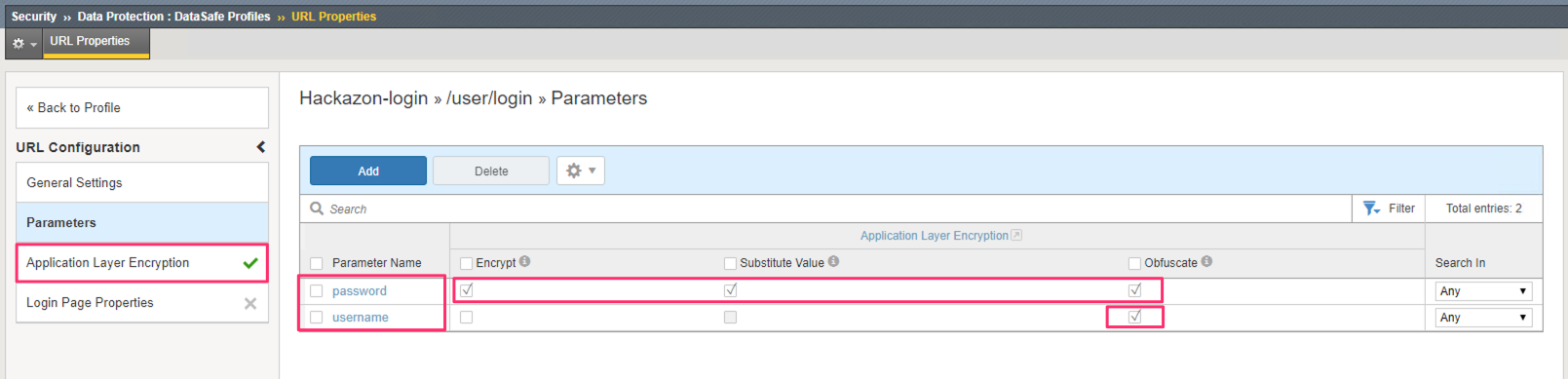
You are returned to the Parameters screen. You should see the password and username parameters listed with the respective settings configured in the previous steps.
Click Application Layer Encryption to review and configure the settings there.
Configure ALE Options
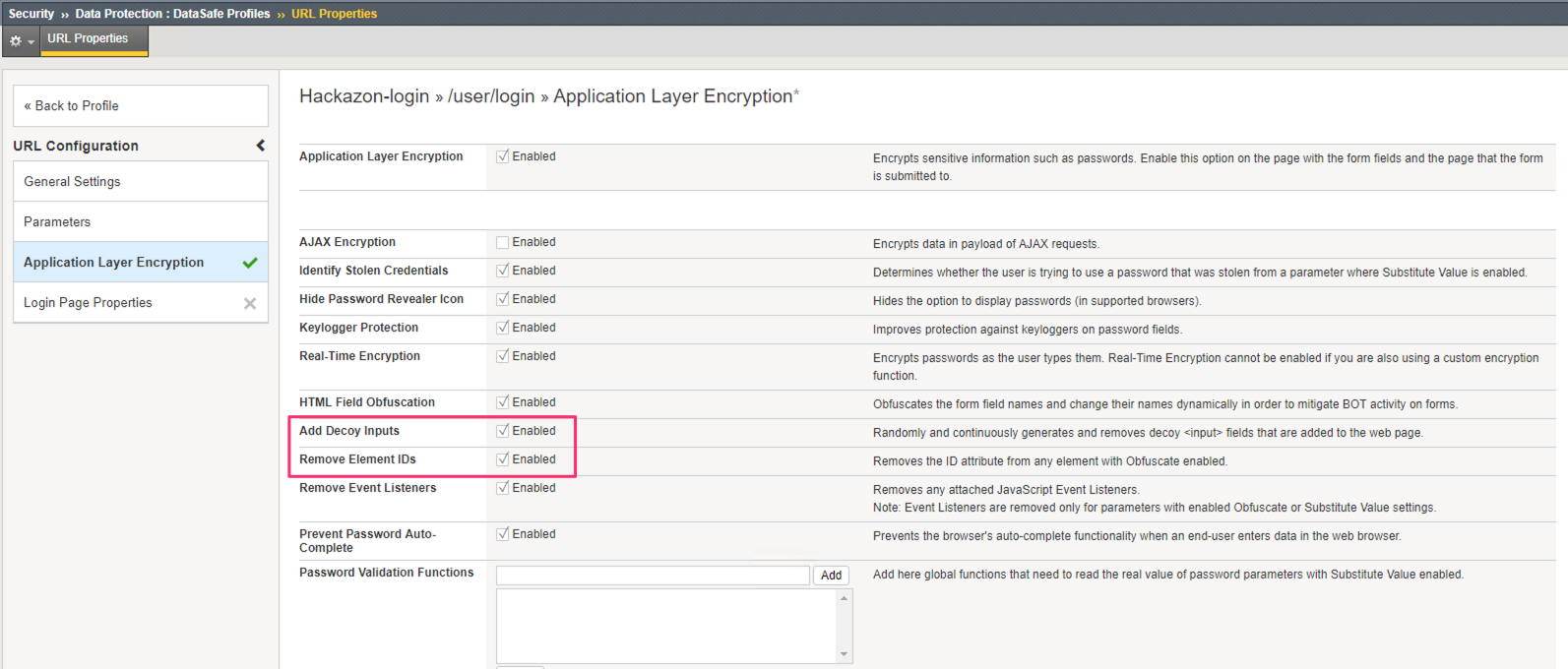
In the Application Layer Encryption screen, select to enable Add Decoy Inputs and Remove Element IDs. Click Save.
Note
We will discuss each of these features and their purpose in the Validating DataSafe Configuration section later in this lab.
The DataSafe profile is now created and configured to protect the Hackazon login page. However, it must be assigned to the Hackazon virtual server to protect the page.
Associate DataSafe Profile with Virtual Server
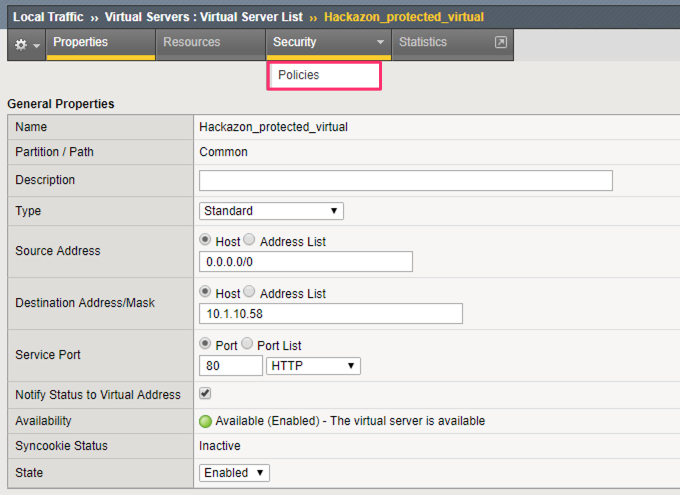
IN the BIG-IP, browse to Local Traffic >> Virtual Servers >> Virtual Server List.
Click on the Hackazon_protected_virtual . Then, from the Security tab, choose Policies.
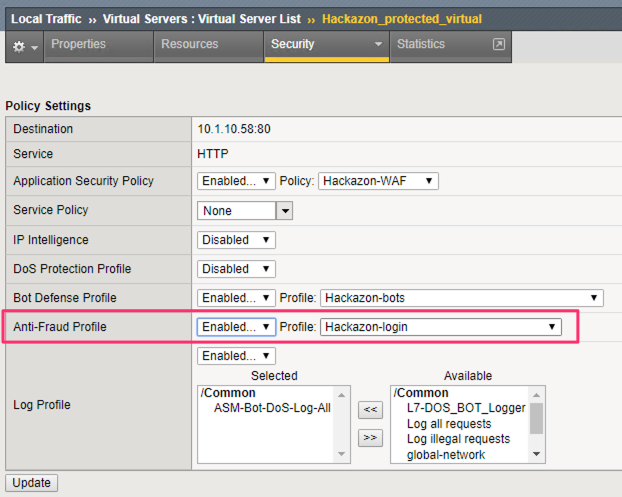
For the Anti-Fraud Profile select Enabled… and choose the DataSafe profile you created in the previous exercise. Click Update.