Understanding MITB Malware
Man-in-the-browser malware works by running as a “shim” in the browser and manipulating the web page as it renders in the browser and/or stealing data as the user submits it to the website. We will look at this behavior on the Hackazon website in the lab but, you may also run through these exercises on your own company’s website.
Web Injects
Web injects are a way for the malware to add content to or remove content from a webpage. For example, the malware may add extra fields to a bank’s login page to collect the user’s debit card PIN, mobile number, or any other data they may want. Also, the web injects may remove warnings that might appear on the page such as, “We will never ask you for your PIN.”
In this first exercise we will manipulate the login page to ask for additional information, much in the same way as MITB malware would.
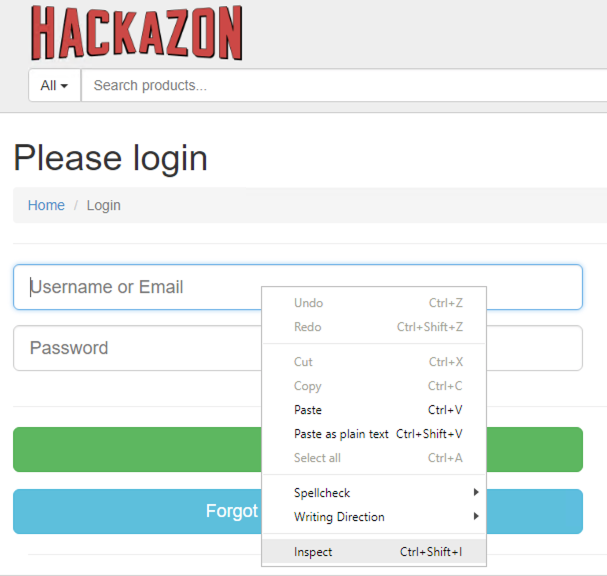
In the browser, return to the Hackazon login page at http://hackazon.f5demo.com/user/login.
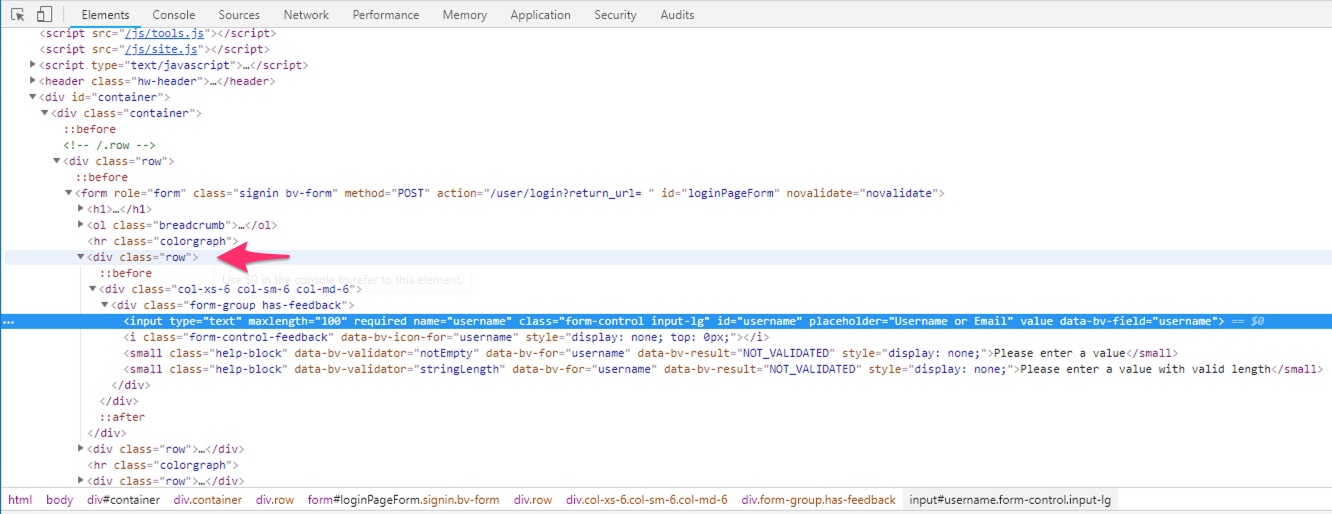
Right click on the username field and choose Inspect. This will open the browser Developer Tools pane with the username field selected.
In the dev tools pane, select the “div” tag 4 lines above the username field that has the class “row”.
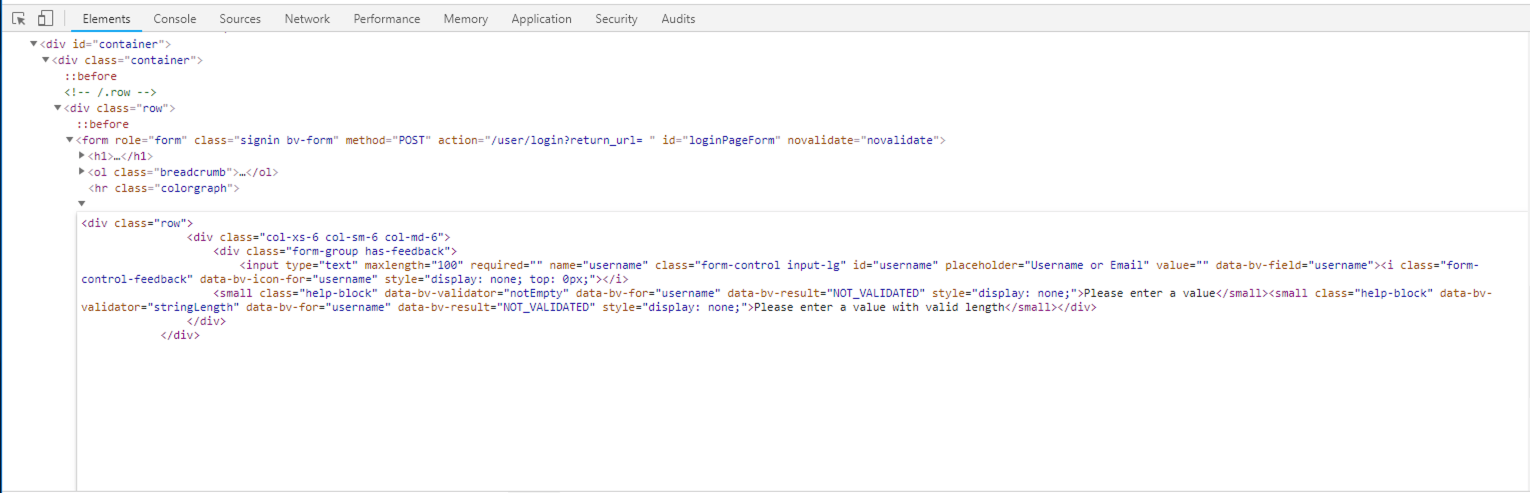
Right click and choose “Edit as HTML”.
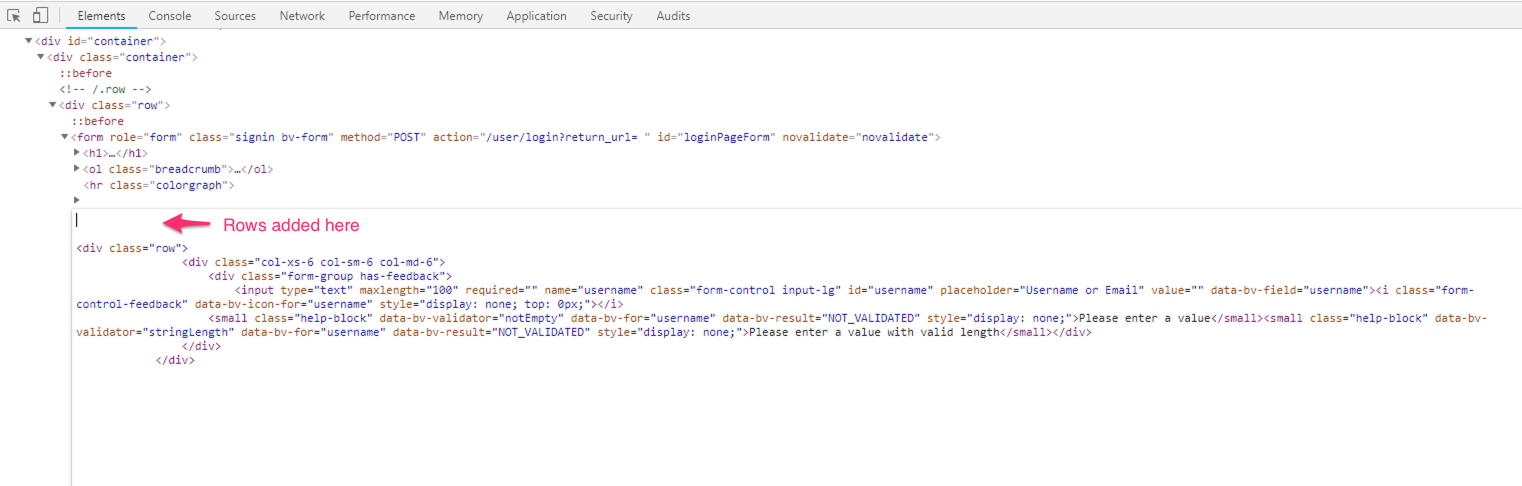
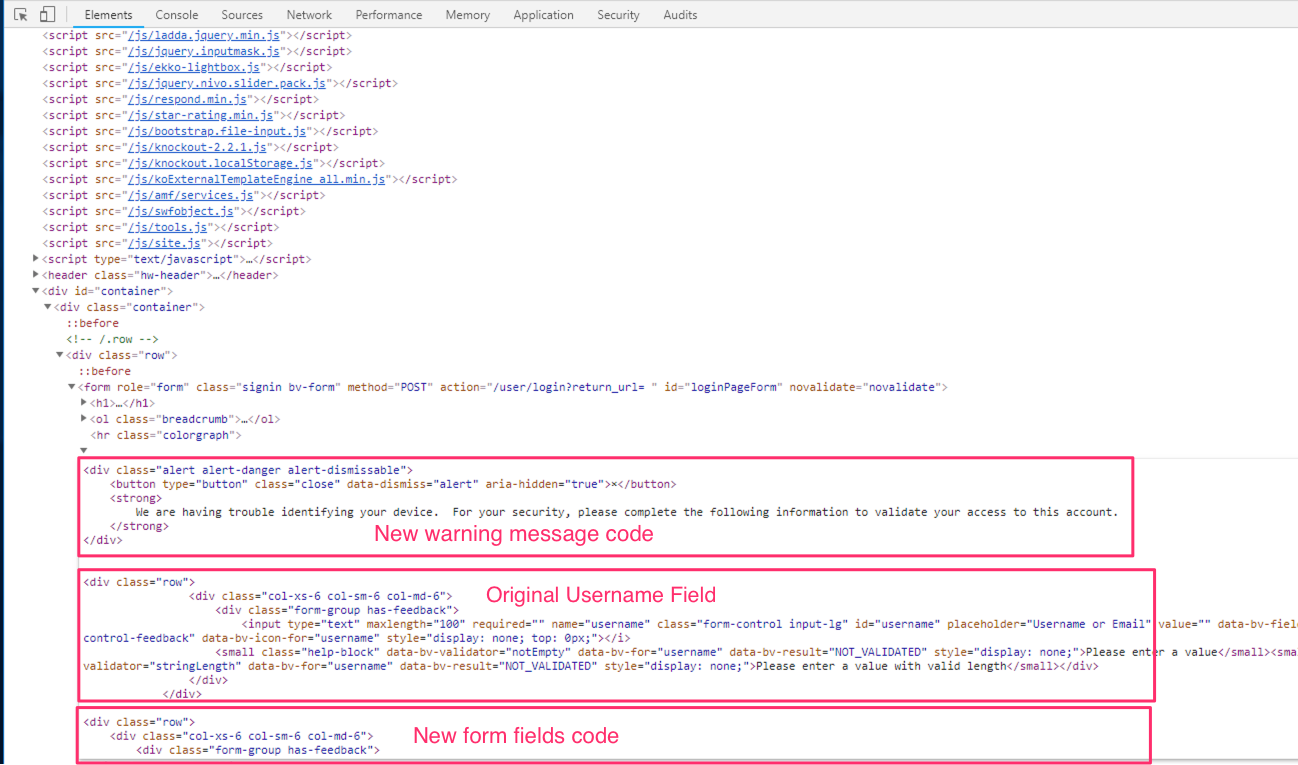
In the editing window, place the cursor immediately before the first “div” tag and press Enter a couple of times to add a row above this section. (See screenshot below)
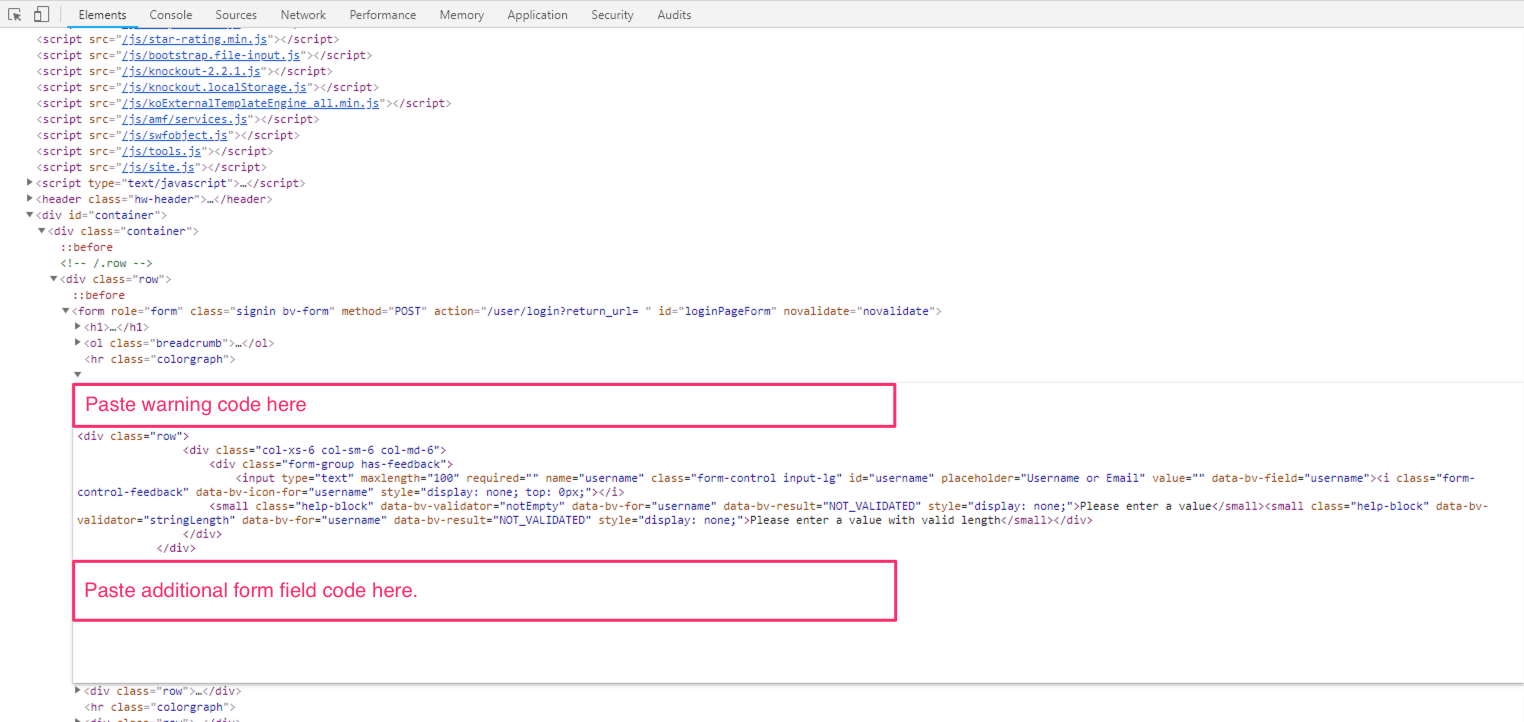
Let’s add some new lines to the form to collect credit card information. Paste the following lines of code directly AFTER the username field. (See screenshot below)
<div class="row">
  <div class="col-xs-6 col-sm-6 col-md-6">
    <div class="form-group has-feedback">
      <input type="text" maxlength="100" required="" name="cc" class="form-control input-lg" id="cc" placeholder="Primary Account Credit Card Number" value="" data-bv-field="cc"><i class="form-control-feedback" data-bv-icon-for="cc" style="display: none; top: 0px;"></i>
      <small class="help-block" data-bv-validator="notEmpty" data-bv-for="username" data-bv-result="NOT_VALIDATED" style="display: none;">Please enter a value</small><small class="help-block" data-bv-validator="stringLength" data-bv-for="username" data-bv-result="NOT_VALIDATED" style="display: none;">Please enter a value with valid length</small>
    </div>
  </div>
  <div class="col-xs-6 col-sm-6 col-md-6">
    <div class="form-group has-feedback">
      <input type="text" maxlength="100" required="" name="cvv" class="form-control input-lg" id="cvv" placeholder="CVV Number" value="" data-bv-field="cc"><i class="form-control-feedback" data-bv-icon-for="cvv" style="display: none; top: 0px;"></i>
      <small class="help-block" data-bv-validator="notEmpty" data-bv-for="username" data-bv-result="NOT_VALIDATED" style="display: none;">Please enter a value</small><small class="help-block" data-bv-validator="stringLength" data-bv-for="username" data-bv-result="NOT_VALIDATED" style="display: none;">Please enter a value with valid length</small>
    </div>
  </div>
</div>
A user might see these new form fields and become suspicious, so let’s also add a warning to the user explaining why they are seeing this request for additional information.
Paste the following code immediately BEFORE the username field. (See screenshot below)
<div class="alert alert-danger alert-dismissable">
  <button type="button" class="close" data-dismiss="alert" aria-hidden="true">×</button>
  <strong>
    We are having trouble identifying your device.  For your security, please complete the following information to validate your access to this account.
  </strong>
</div>
The HTML editing window should look like this when complete.
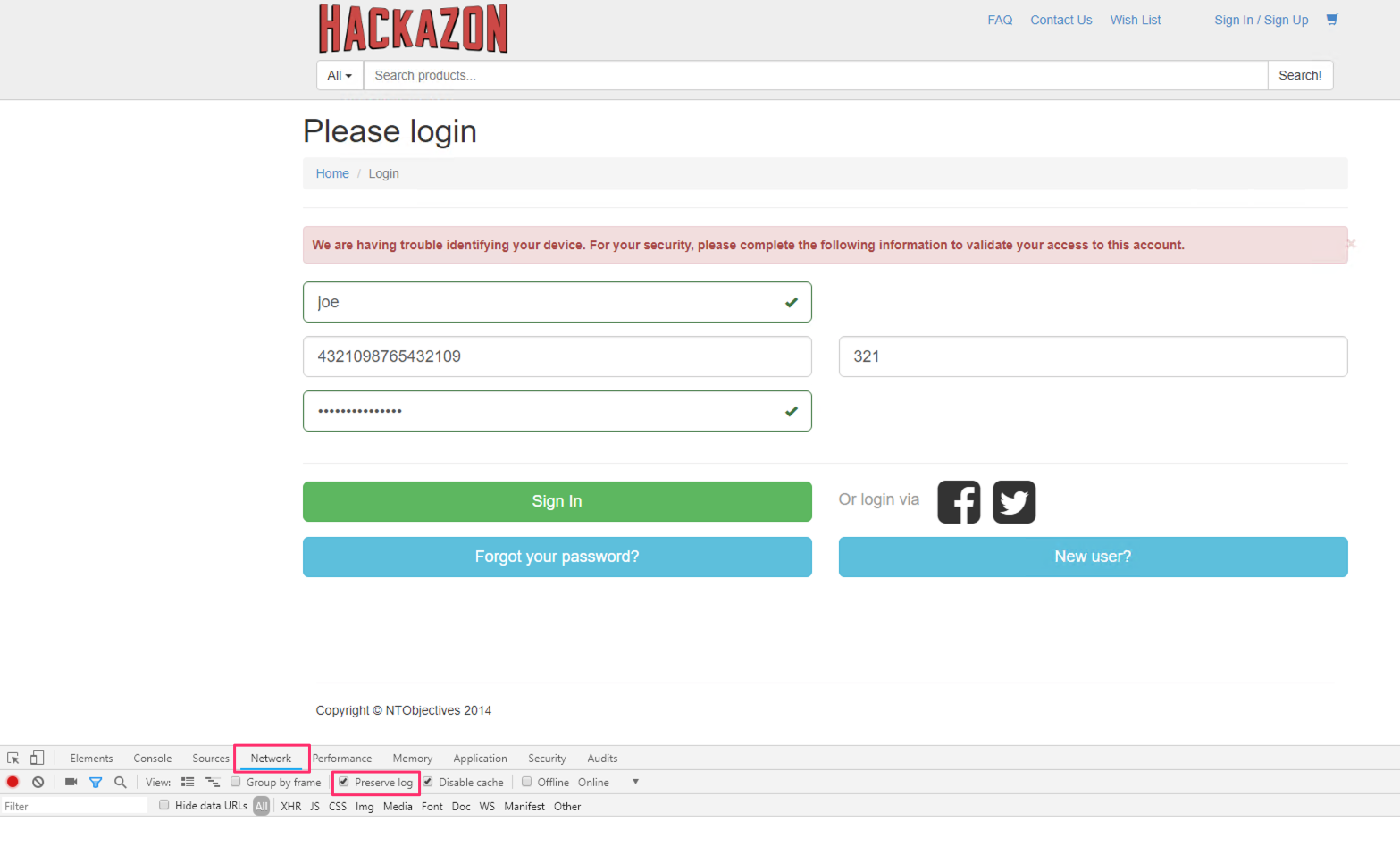
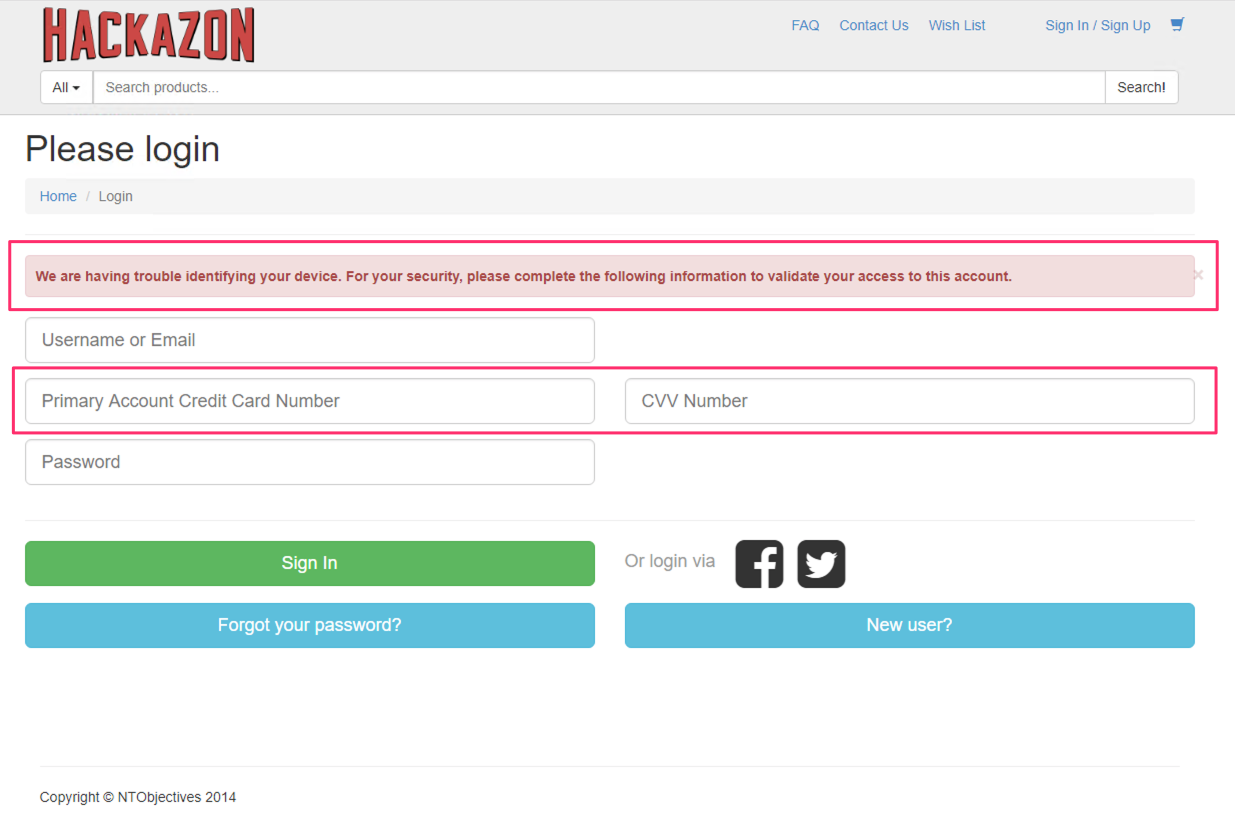
Now, click anywhere outside the HTML editing window in the dev tools pane and the login page should update with your new “webinjects”.
This is an example of how MITB malware can manipulate a webpage to collect additional information.
Viewing and Stealing Credentials
In this exercise we will look at ways that MITB malware might steal credentials from a login page.
Using JavaScript To Collect Credentials
Warning
DO NOT CLICK Sign IN yet.
On the Hackazon Login page enter any username and password. Also, enter a random credit card number and CVV number.
Warning
DO NOT CLICK Sign IN yet.
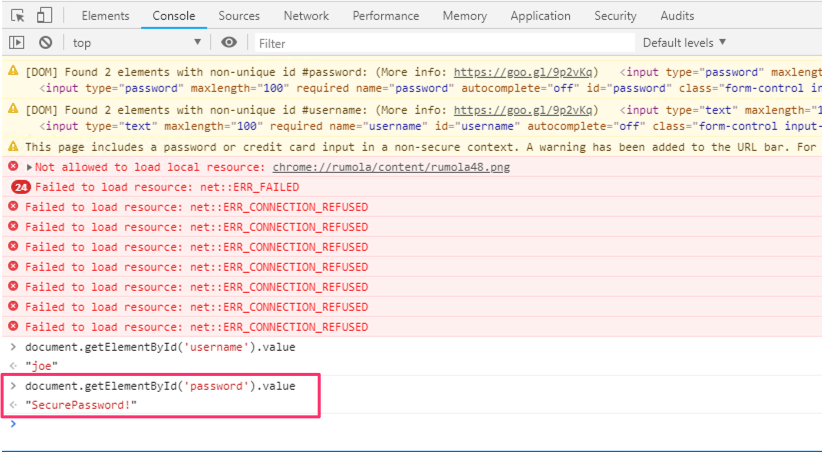
One way that malware may steal credentials from this page is by using injected javascript code to grab the value of the username and password fields. You can mimic this behavior by using the dev tools Console.
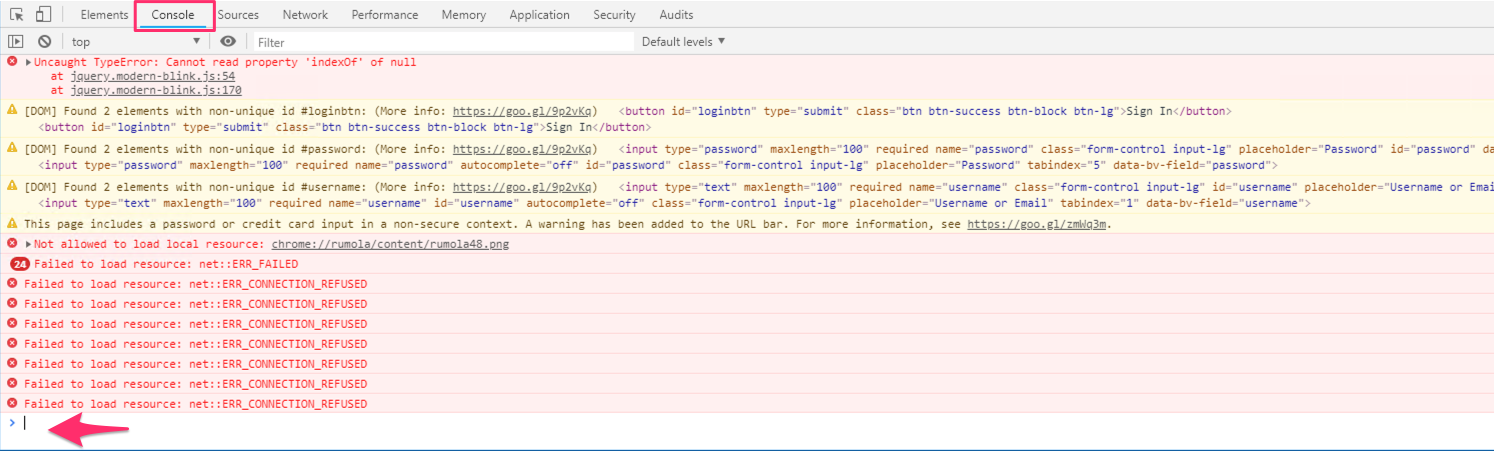
Open the dev tools pane, if it is not already open, and switch to the Console tab.
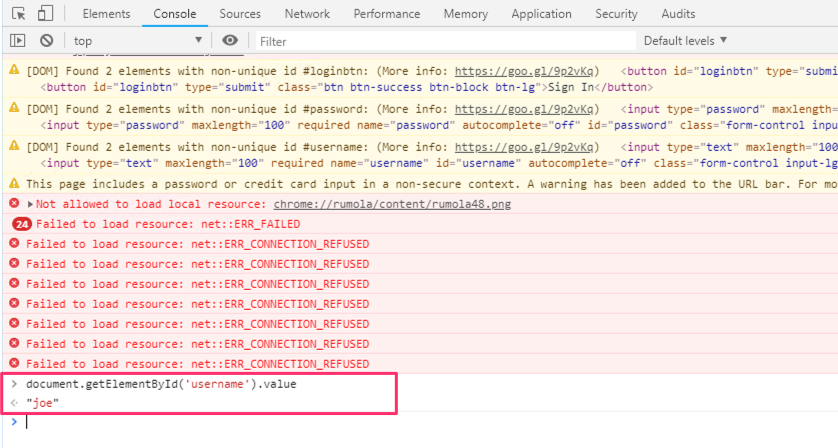
In the console, enter document.getElementById(‘username’).value. The value of the username field is returned.
Perhaps this isn’t of much concern as the username is easily visible in the form field and considered the “public” part if the user’s credential.
In the console, enter document.getElementById(‘password’).value. The value of the password field is returned.
Important
Note the password is in clear text and so it would be available in clear text to any javascript injected by the malware. The attacker could then use additional injected javascript to send these credentials to their command and control (C&C) server even before the user has logged in.
Using POST-Grabbers To Collect Credentials
In each of the previous examples the malware would need to be written to attack a specific URL and specific objects on that webpage. This next example of credential theft is significant because the malware does NOT need to target a specific URL. This method is called “POST grabbing”. In POST grabbing the MITB malware watches for any browser requests that use the HTTP POST method and sends a copy of those requests to the hacker’s C&C server. POST requests often include credentials and other personally identifiable information such as email addresses, mailing addresses, credit card information and much more.
In the Dev tools pane, switch to the Network tab. Check the box to Preserve the log.
Then click Sign In to submit the credentials.
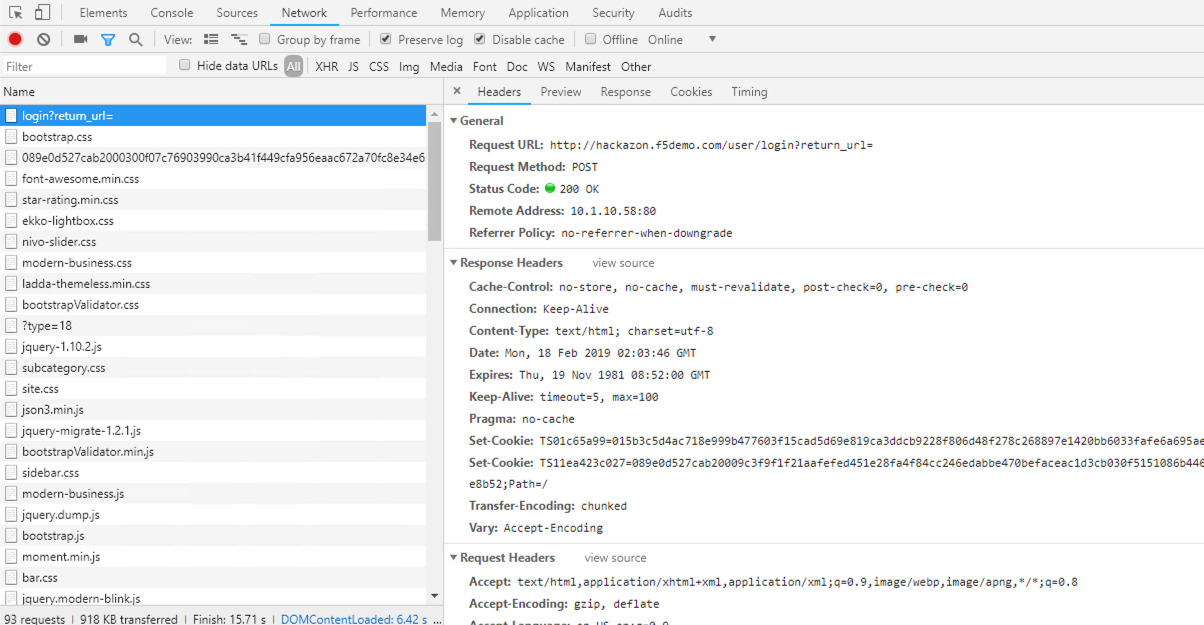
In the dev tools Network tab, scroll to the top where you should you see the POST request to /login?return_url= and select that request.
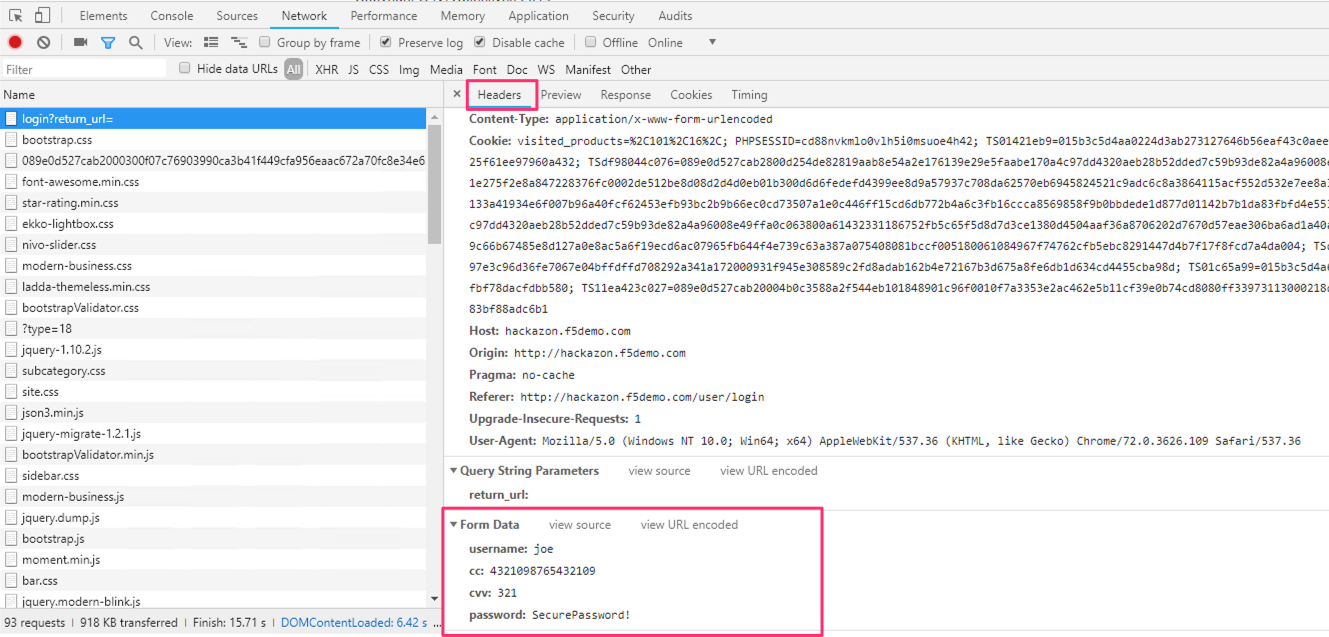
In the headers section, scroll to the bottom where you will find the Form Data.
Important
Notice that the password is in clear text. Also, notice that the additional form fields that we added in the previous exercise are also included in the request. This form data, along with all of the other information in this request, would be captured by the MITB malware and sent to the hacker’s C&C server.
Warning
Web applications typically rely on SSL/TLS to encrypt the POST data in transit between the client browser and the web server. Because MITB malware resides in the browser it has access to the POST data BEFORE it is encrypted by SSL/TLS.