Testing Threat Campaigns
In this exercise we will execute a few attacks that mimic current threat campaigns and review the resulting ASM logs.
Threat Campaign Attack
From the Windows Desktop, open a command prompt.
Note
In this lab, for ease of use, we are using cURL to mimic the attacks. In the real world various other tools (NMAP, metasploit, etc.) are used.
Change to the Documents directory.
cd DocumentsCopy the following command and paste into the Windows command prompt, then press Enter:
curl -X HEAD http://hackazon.f5demo.com/ -H "User-Agent: Mozilla/5.0 (compatible; Nmap Scripting Engine; https://nmap.org/book/nse.html)" -H "cache-control: no-cache"Note
This is a basic NMAP scan but is frequently used by attackers for reconnaissance.
Copy following command and paste into the Windows command prompt, then press Enter:
curl -X POST http://hackazon.f5demo.com/index.php -H "Content-Type: text/plain" -H "cache-control: no-cache" -d @TC-post-data.txtNote
This attack attempts to exploit an Apache Struts2 vulnerability to deliver malware.
You should see a blocking response from the BIG-IP similar to this:

Review ASM Request Logs
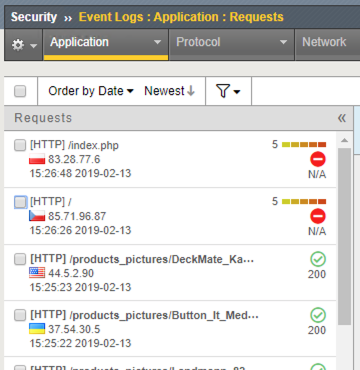
In the BIG-IP browse to the ASM Request log at Security >> Event Logs >> Application >> Requests.
The top two requests should be blocked.
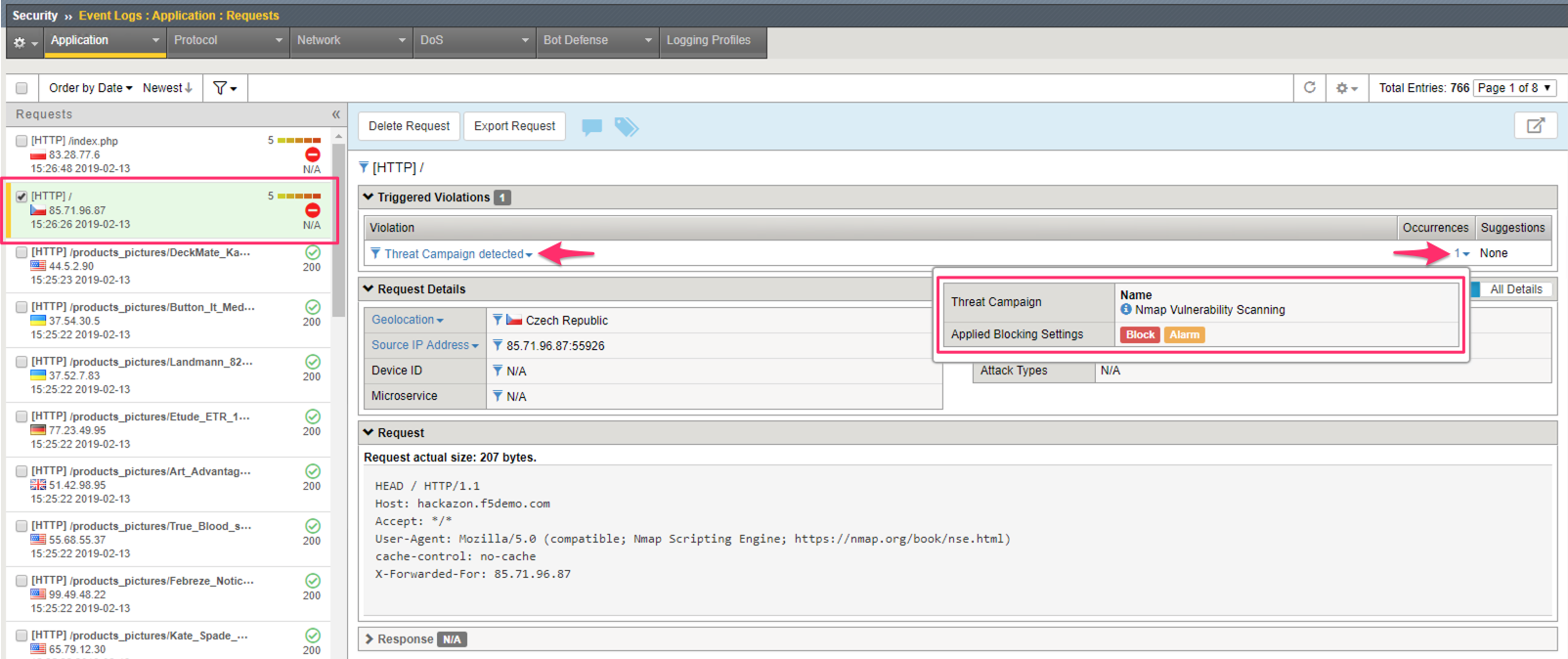
Select the lower request to “/”. Notice that the Threat Campaign detected violation has fired. Select the “1” in the Occurrences column to see details about which threat campaign signature was detected.
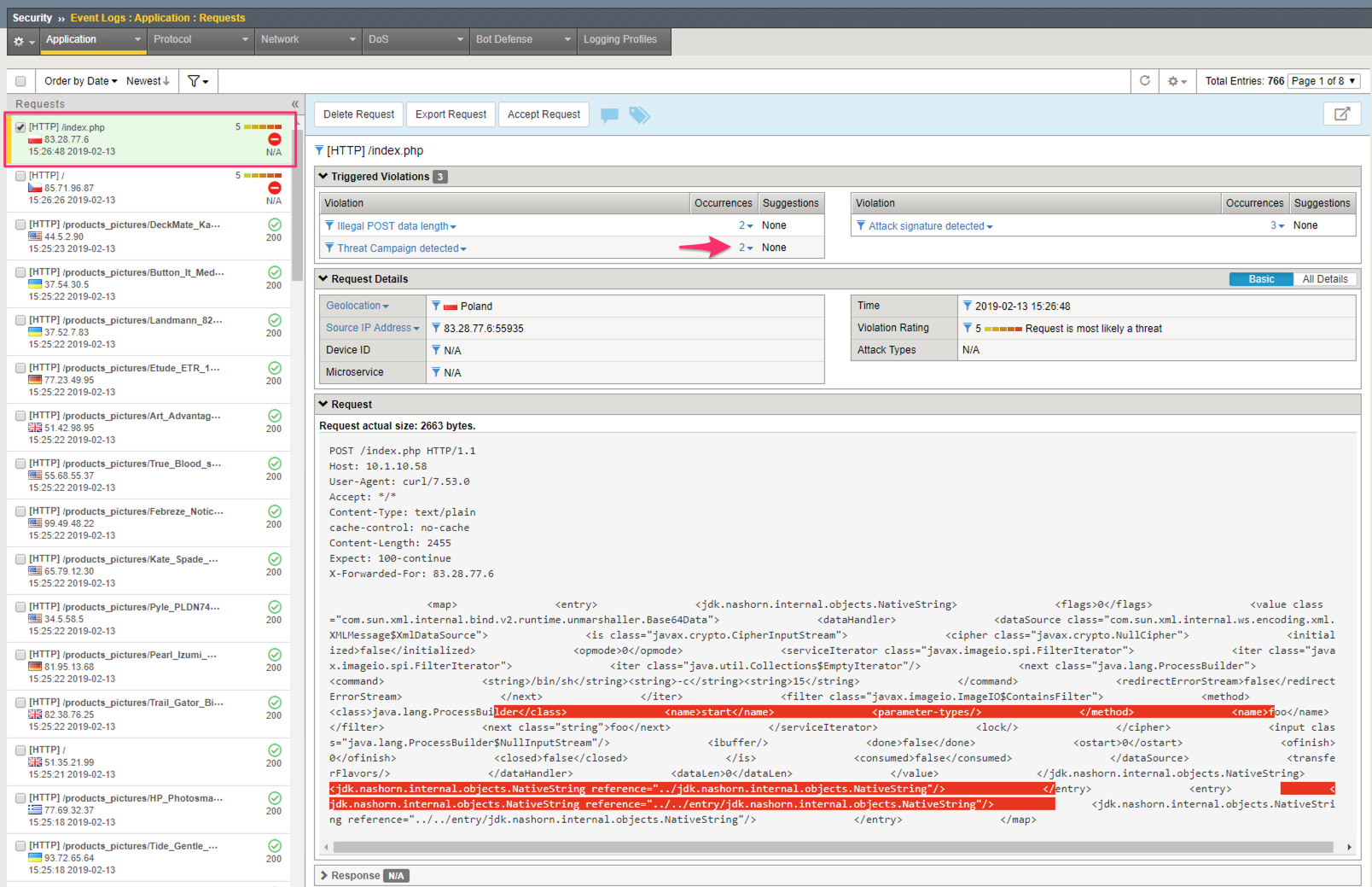
Select the top request to “/index.php”. Notice that the Threat Campaign detected violation has fired.
How many Occurrences of threat campaign signatures were detected in this request?
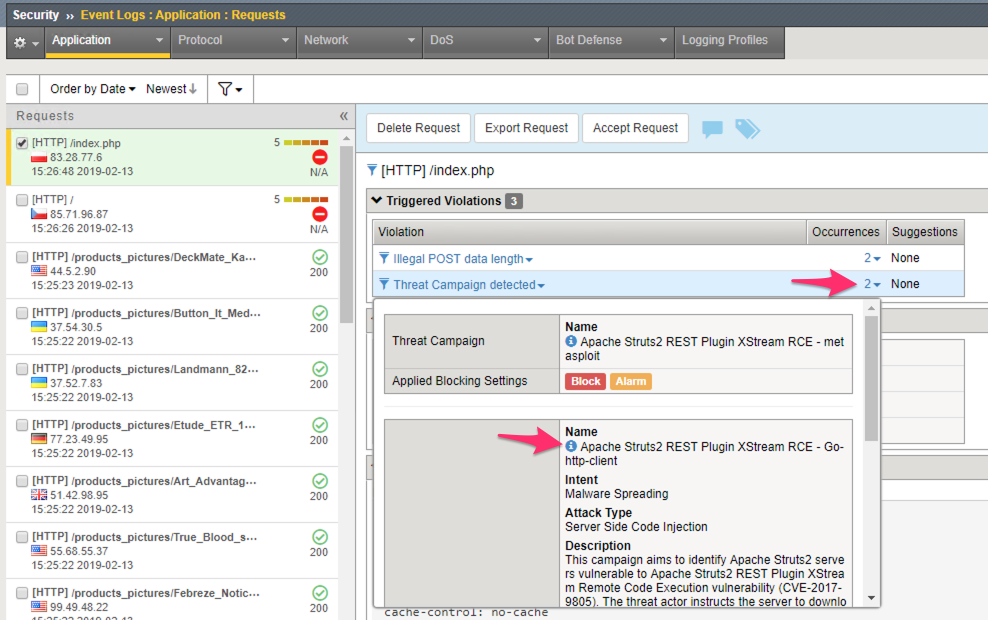
You can get more details about the Threat Campaign from within this screen by clicking on the
icon next to the Threat Campaign name.